Texture-Tausch
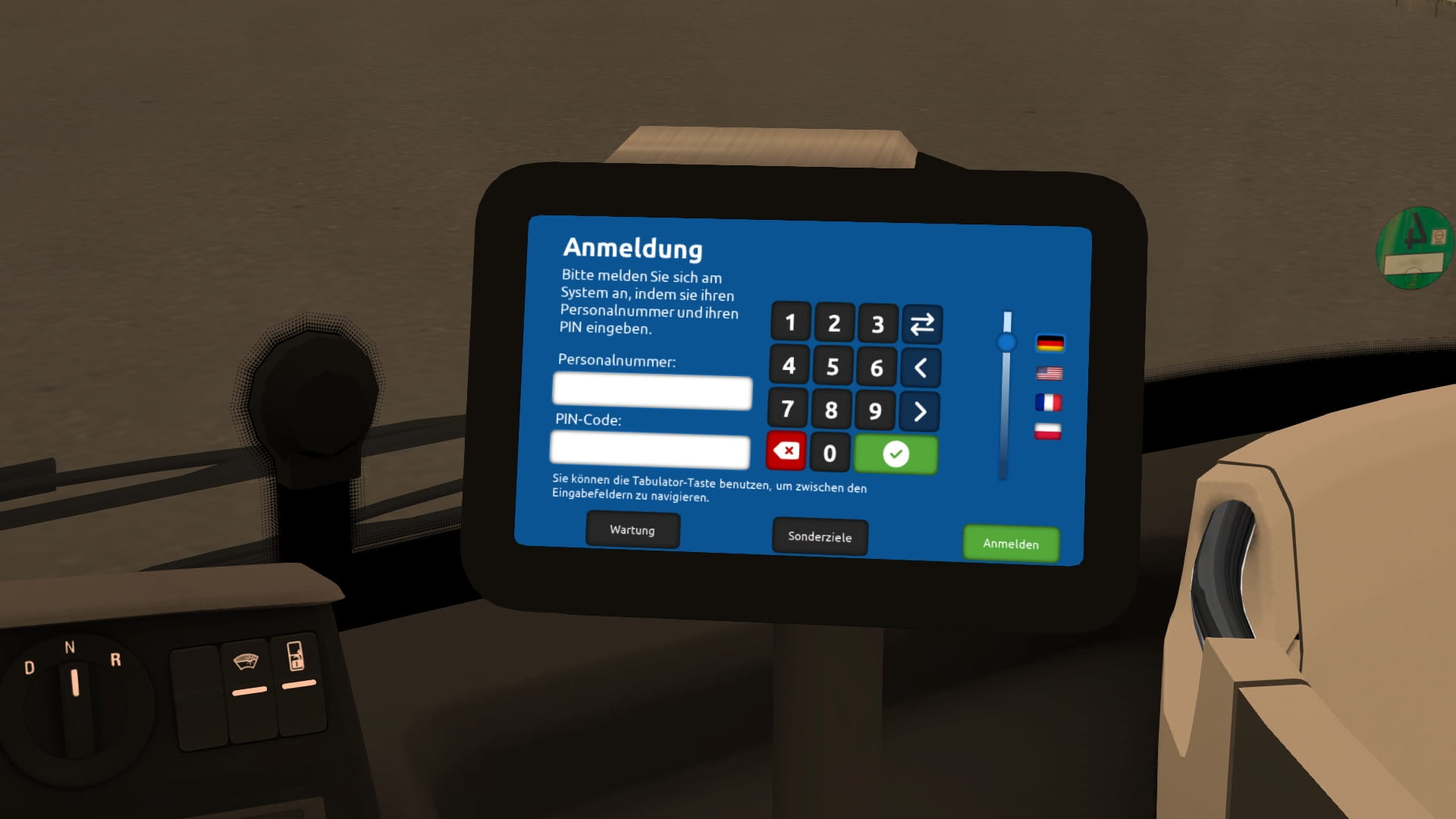
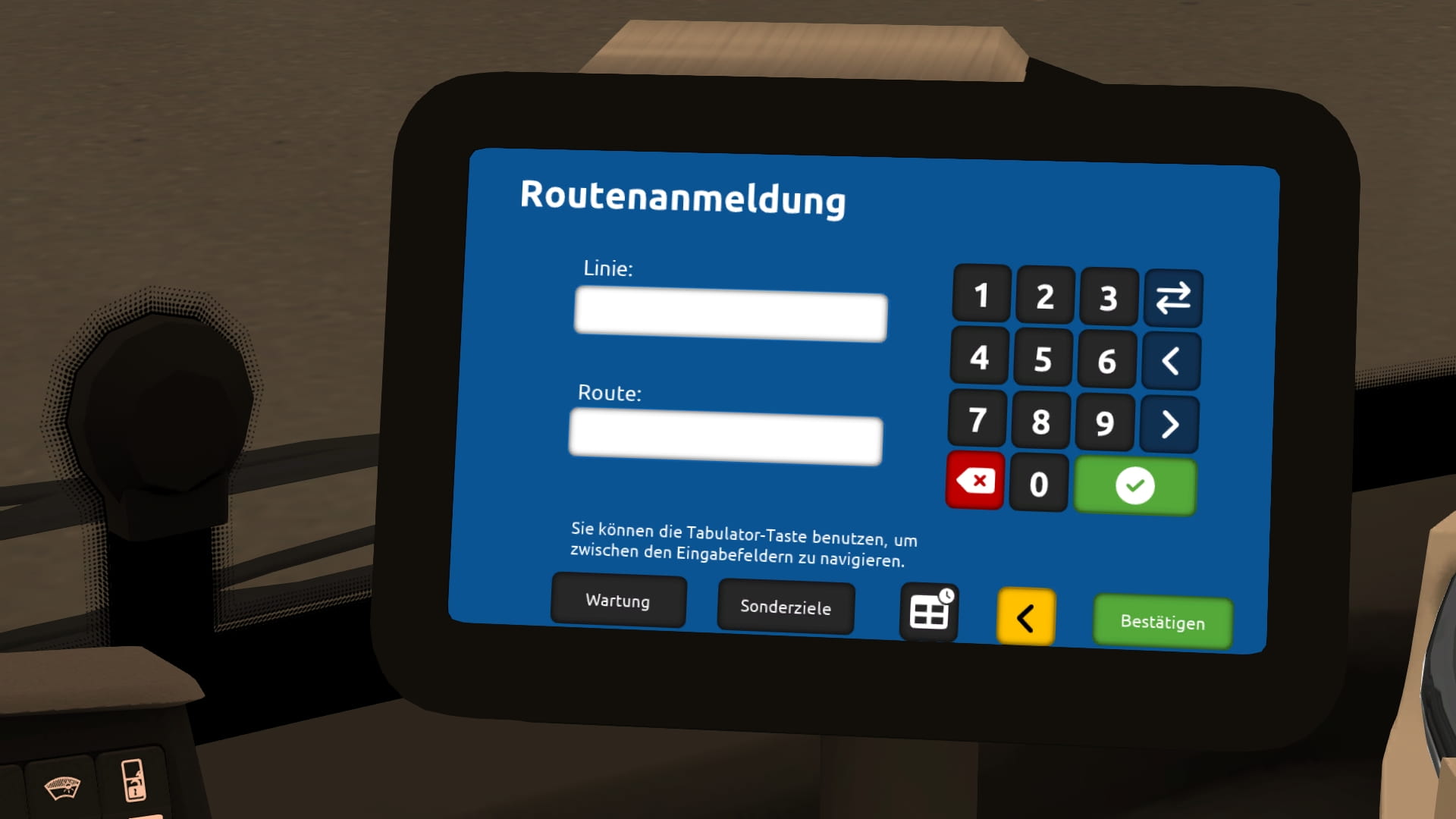
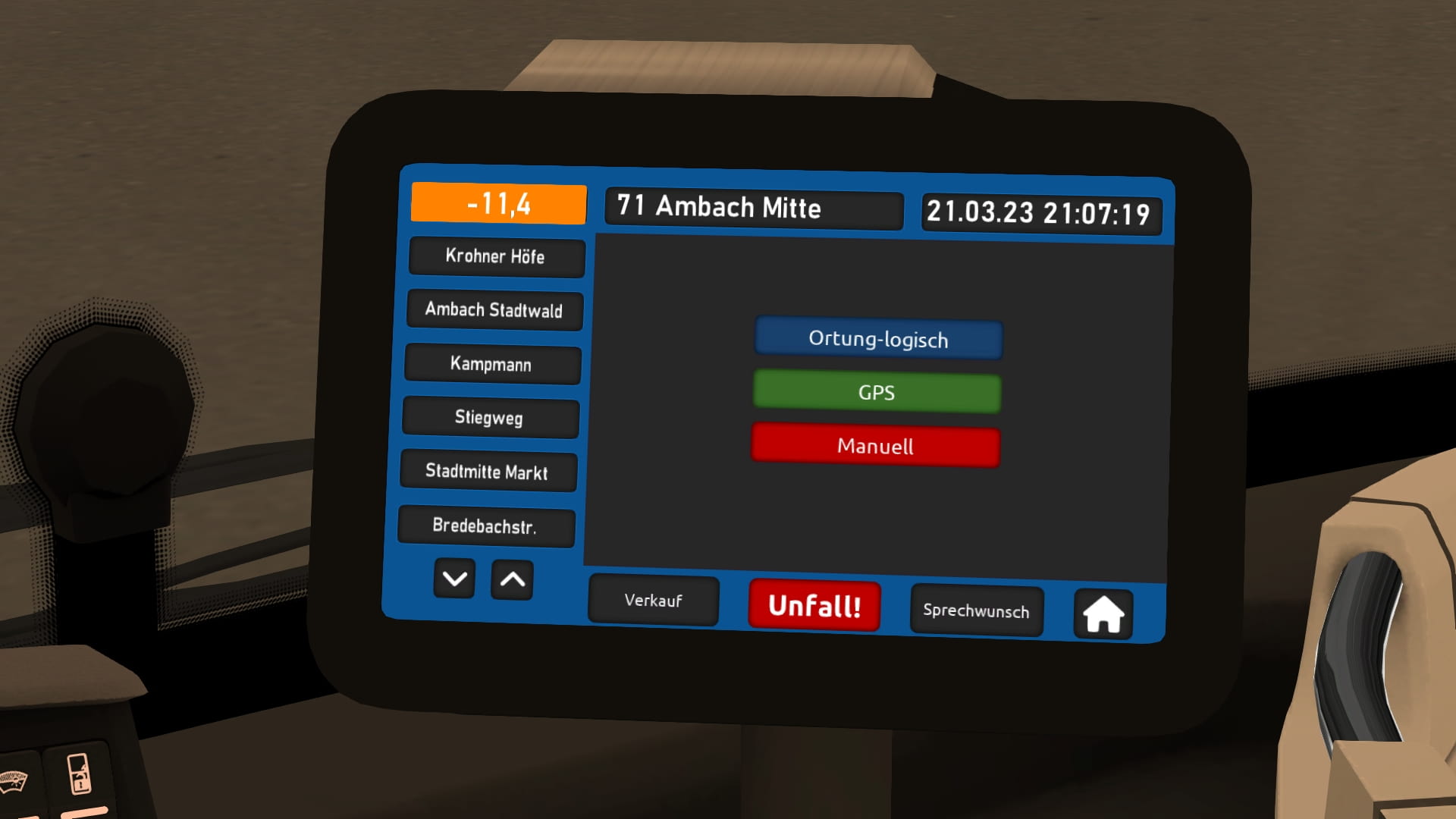
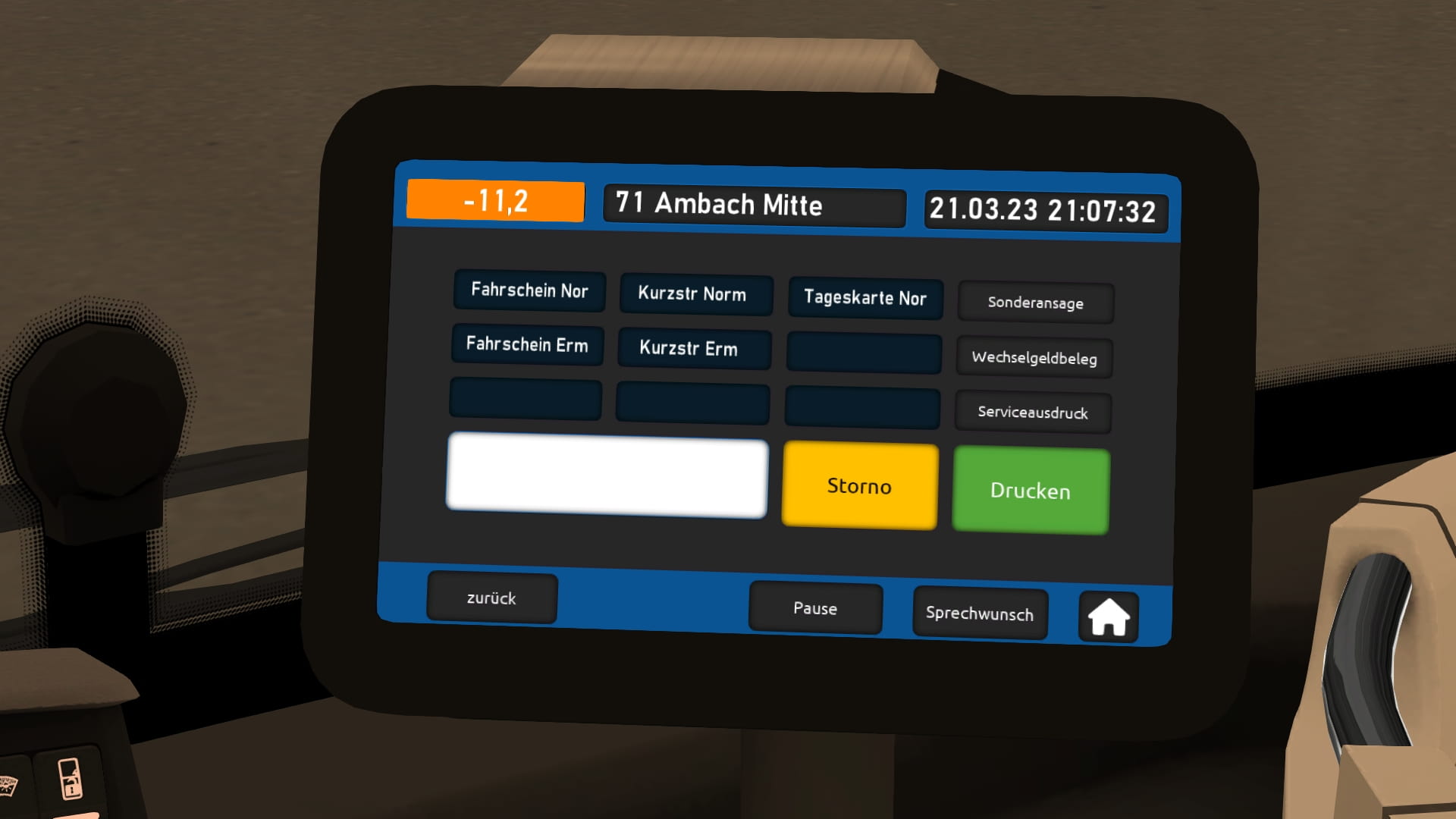
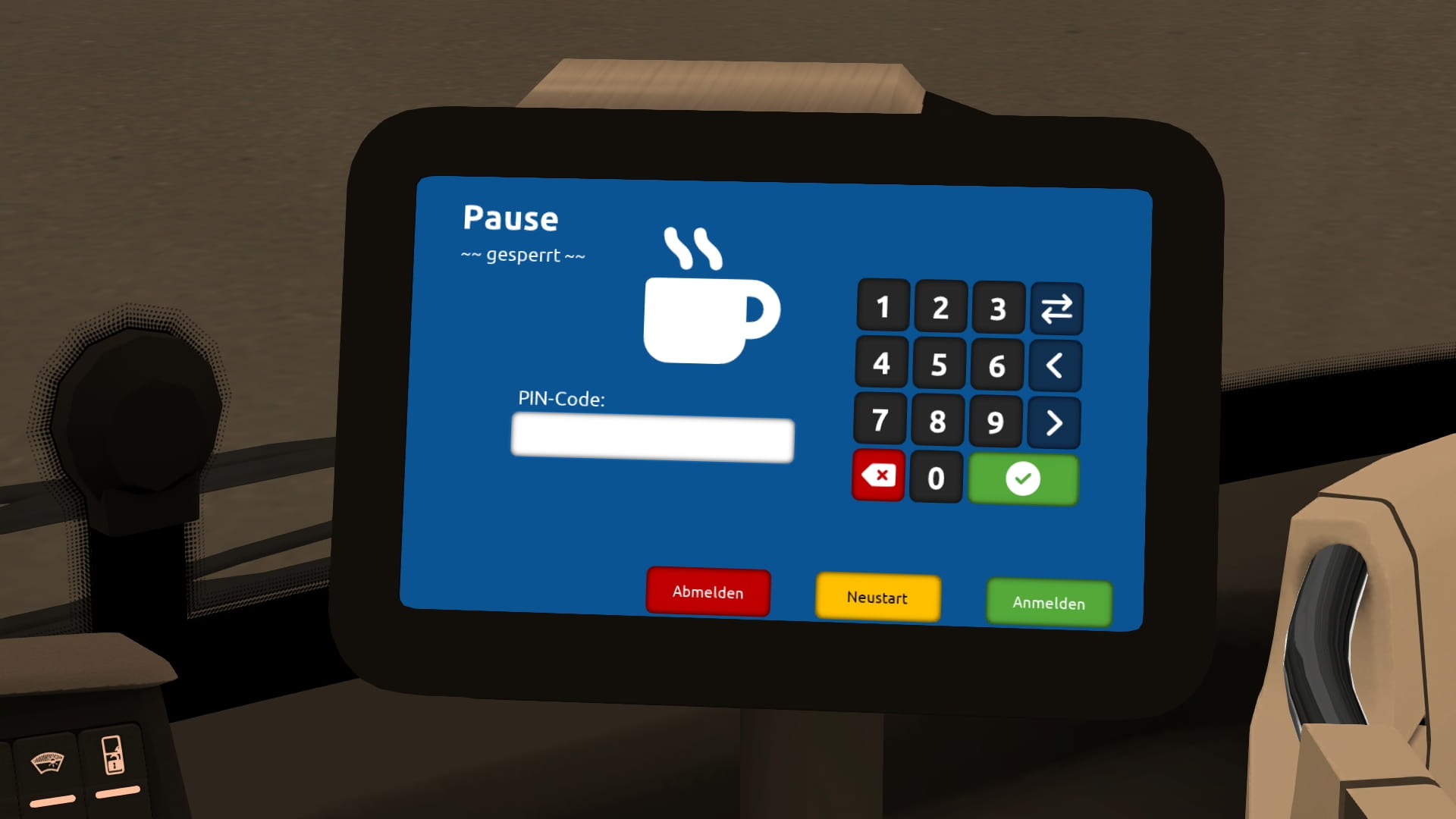
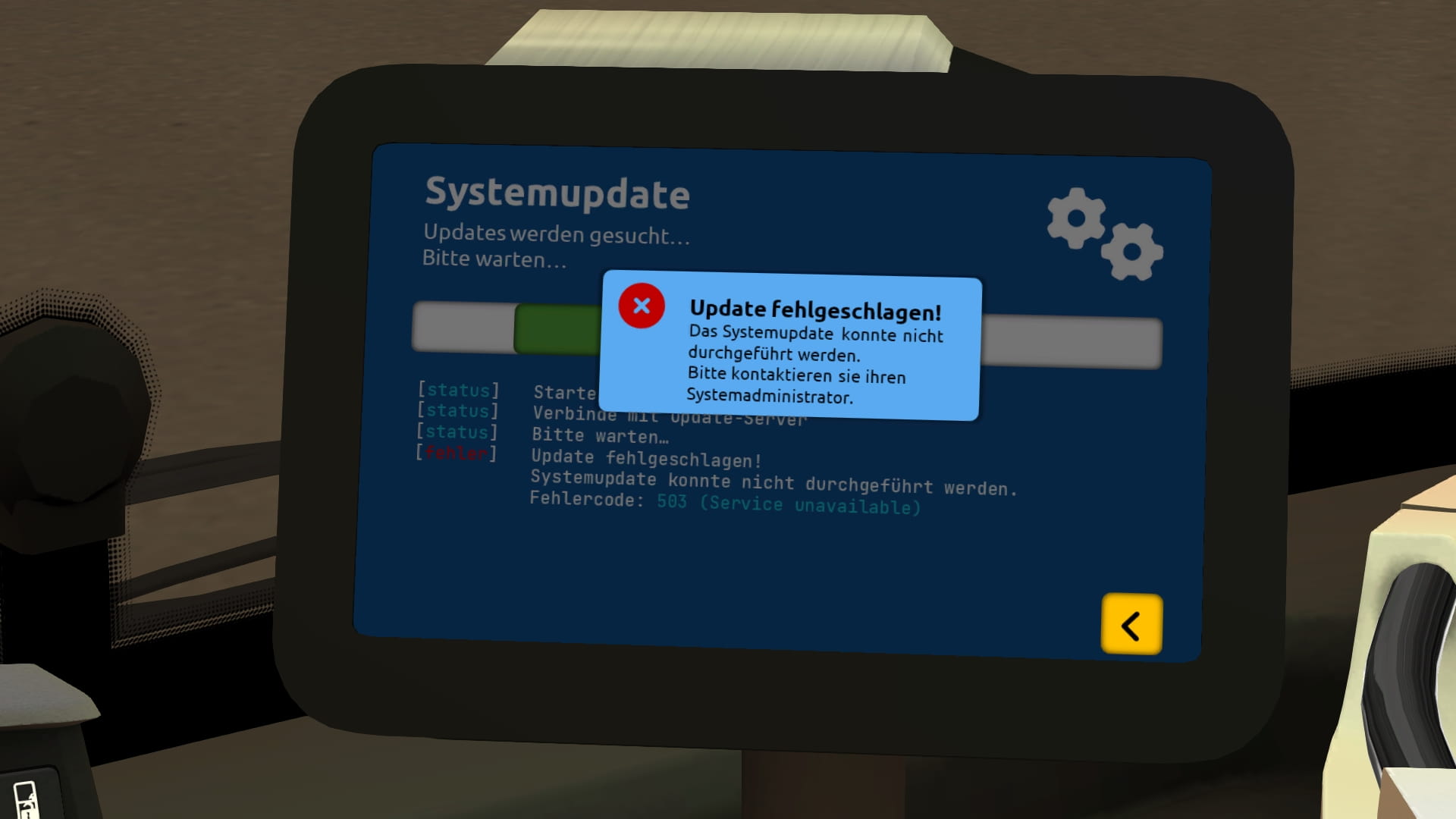
neue Druckertexturen für den FJM20 (BHD MAN & NewLionsCity)
Hiermit stelle ich euch neue, alternative Texturen für den FJM20-Drucker (Bad-Hügelsdorfer MAN und MAN NewLionsCity) bereit. Here are some new alternative textures for the FJM20 printer (Bad Hügelsdorf MAN and MAN NewLionsCity).
1.382 Downloads
1 Versionen
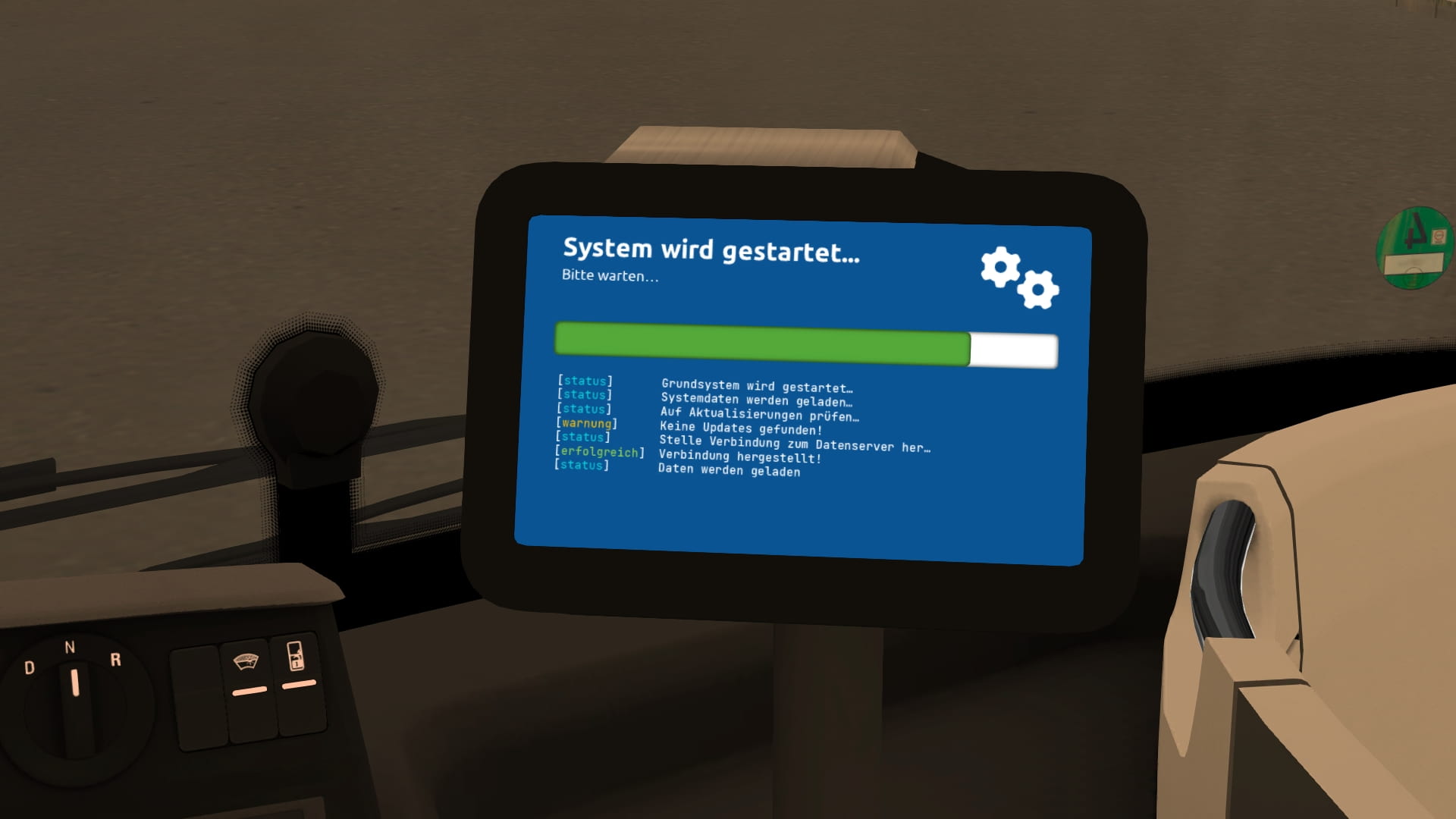
<p><strong><woltlab-metacode data-name="flag" data-attributes="WyJkZSJd"></woltlab-metacode> Deutsch/German:</strong></p><p>Da mir die alten nicht so gefielen, habe ich neue Bildschrimtexturen für den FJM20-Drucker entwickelt, der nach dem neusten Update standardmäßig im MAN NewLionsCity, sowie von Anfang an in den Bad Hügelsdorfer MANs verbaut ist.</p><p><br></p><p><strong><fa-icon data-icon-name="exclamation-triangle"></fa-icon> Achtung: </strong>Die Texturen stehen aktuell <u>nur</u> für die Sprache Deutsch und in normaler Auflösung zur Verüfung. Wählt ihr eine <strong>andere Sprache </strong>oder habt die <strong>Low-Res-Texturen </strong>in den OMSI-Einstellungen aktiviert, seht ihr weiterhin das alte Design. Low-Rest-Varianten und weitere Sprachen folgen.</p><p><strong>Beachtet außerdem, dass diese Mod originale Texturen überschreibt. Macht bitte unbedingt vor dem Installieren ein Backup der Originaldateien.<br></strong></p><p><strong><br></strong></p><p>Diese Mod installiert sich standardmäßig für den BHD MAN und den NewLionsCity.</p><p>Habt ihr den Drucker noch privat in andere Busse eingebaut oder bspw. Ordner umbenannt, müsst ihr die Dateien ggf. per Hand kopieren und ersetzen.</p><p><br></p><p><strong>Installation:<br></strong></p><p>Nachdem ihr ein Backup gemacht habt (s.o. !!!) könnt ihr einfach den Inhalt des Ordners "OMSI 2" im Downloadarchiv ins OMSI-Hauptverzeichnis entpacken und alle Dateien ersetzen lassen.</p><p>Von folgenden Ordnern sollte ihr vorher ein Backup erstellen:</p><ul><li><kbd>OMSI 2\Vehicles\BHD_MAN_LionsCity\texture\Drucker</kbd></li><li><kbd>OMSI 2\Vehicles\MAN_NewLionsCity\texture\Drucker</kbd></li></ul>
<woltlab-metacode data-name="hr" data-attributes=""></woltlab-metacode><p><strong><woltlab-metacode data-name="flag" data-attributes="WyJnYiJd"></woltlab-metacode> English:</strong></p><p>Since I didn't like the old ones that much, I developed new screen textures for the FJM20 printer, which is installed as standard in the MAN NewLionsCity after the latest update, as well as in the Bad Hügelsdorf MANs from the very beginning.</p><p><br></p><p><strong><fa-icon data-icon-name="exclamation-triangle"></fa-icon> Attention:</strong> The textures are currently only available for the language German and in normal resolution. If you choose <strong>another language </strong>or have activated the <strong>low-res textures </strong>in the OMSI settings, you will still see the old design. Low-res variants and other languages will follow.</p><p>Please also note that this mod overwrites original textures. Please make a backup of the original files before installing.</p><p><br></p><p>This mod installs itself by default for the BHD MAN and the NewLionsCity.</p><p>If you have installed the printer privately in other buses or renamed folders, for example, you may have to copy and replace the files by hand.</p><p><br></p><p><strong>Installation:</strong></p><p>After you have made a backup (see above !!!) you can simply unpack the contents of the folder "OMSI 2" in the download archive into the main OMSI directory and replace all files.</p><p>You should make a backup of the following folders first:</p><ul><li><kbd>OMSI 2\Vehicles\BHD_MAN_LionsCity\texture\Drucker</kbd>.</li><li><kbd>OMSI 2\Vehicles\MAN_NewLionsCity\texture\Drucker</kbd></li></ul>
<woltlab-metacode data-name="hr" data-attributes=""></woltlab-metacode><p><strong><woltlab-metacode data-name="flag" data-attributes="WyJnYiJd"></woltlab-metacode> English:</strong></p><p>Since I didn't like the old ones that much, I developed new screen textures for the FJM20 printer, which is installed as standard in the MAN NewLionsCity after the latest update, as well as in the Bad Hügelsdorf MANs from the very beginning.</p><p><br></p><p><strong><fa-icon data-icon-name="exclamation-triangle"></fa-icon> Attention:</strong> The textures are currently only available for the language German and in normal resolution. If you choose <strong>another language </strong>or have activated the <strong>low-res textures </strong>in the OMSI settings, you will still see the old design. Low-res variants and other languages will follow.</p><p>Please also note that this mod overwrites original textures. Please make a backup of the original files before installing.</p><p><br></p><p>This mod installs itself by default for the BHD MAN and the NewLionsCity.</p><p>If you have installed the printer privately in other buses or renamed folders, for example, you may have to copy and replace the files by hand.</p><p><br></p><p><strong>Installation:</strong></p><p>After you have made a backup (see above !!!) you can simply unpack the contents of the folder "OMSI 2" in the download archive into the main OMSI directory and replace all files.</p><p>You should make a backup of the following folders first:</p><ul><li><kbd>OMSI 2\Vehicles\BHD_MAN_LionsCity\texture\Drucker</kbd>.</li><li><kbd>OMSI 2\Vehicles\MAN_NewLionsCity\texture\Drucker</kbd></li></ul>
Bilder