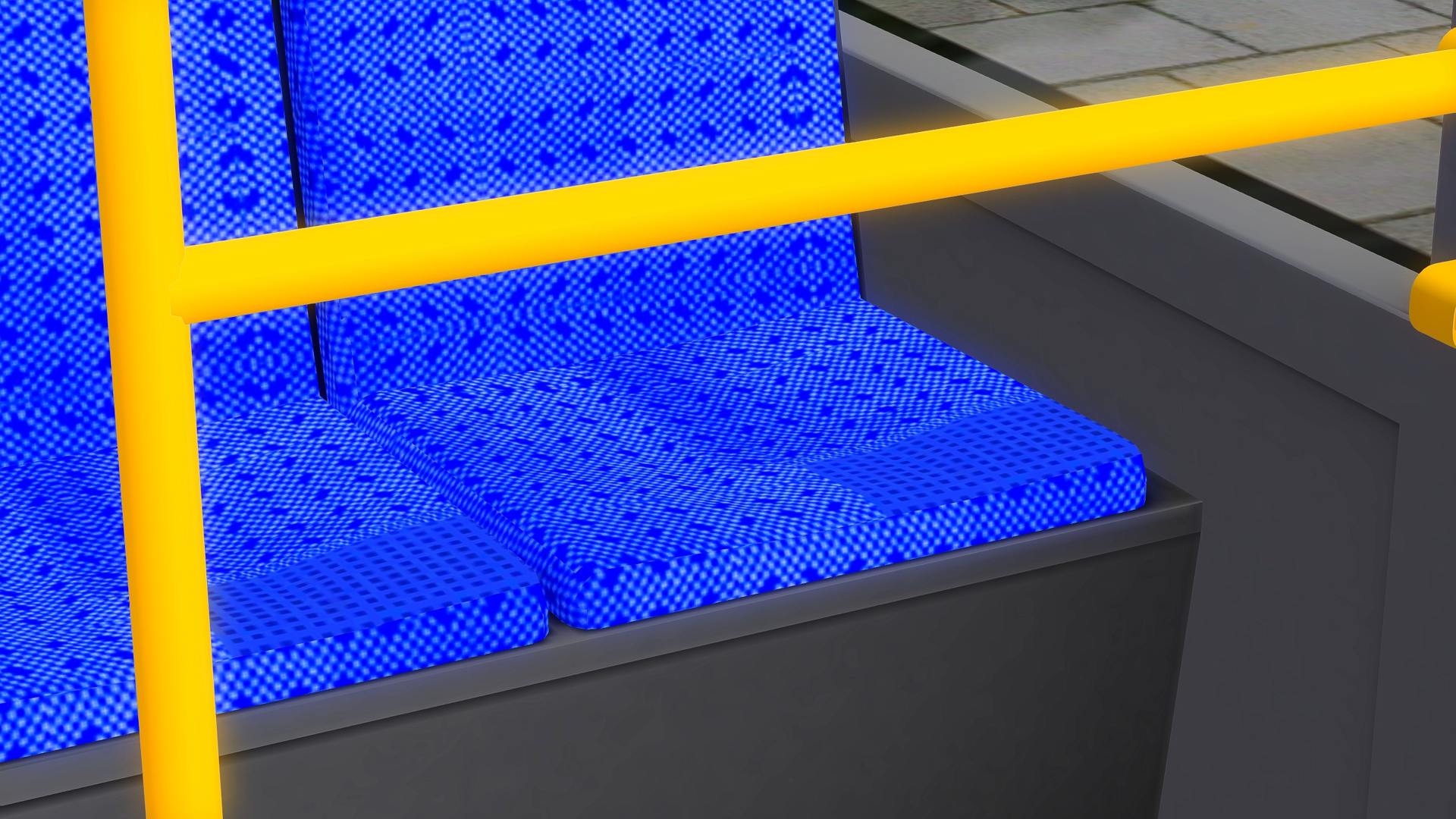
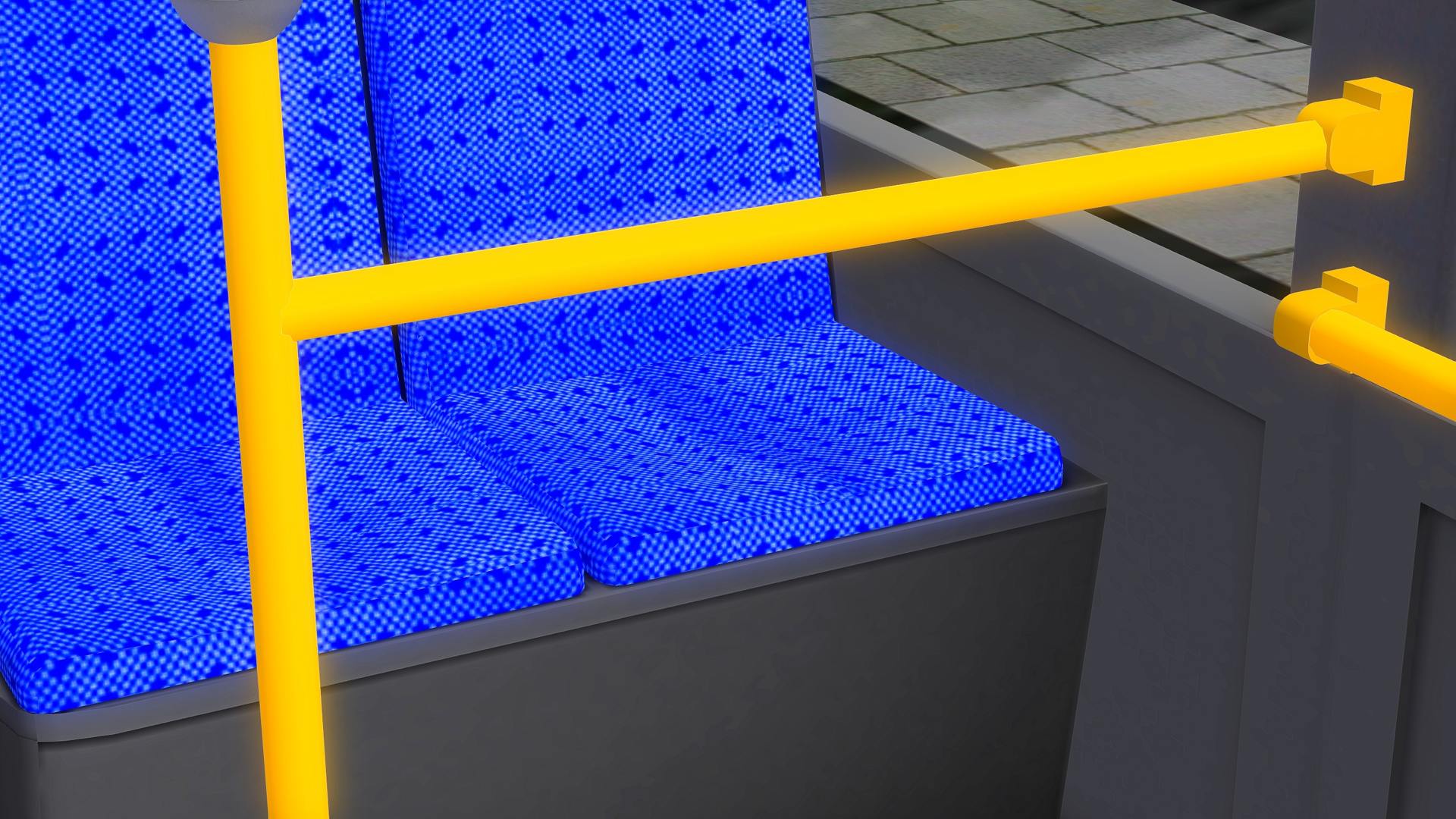
C2 Berlin/Neutral (Mx.dsgn / Mx200)
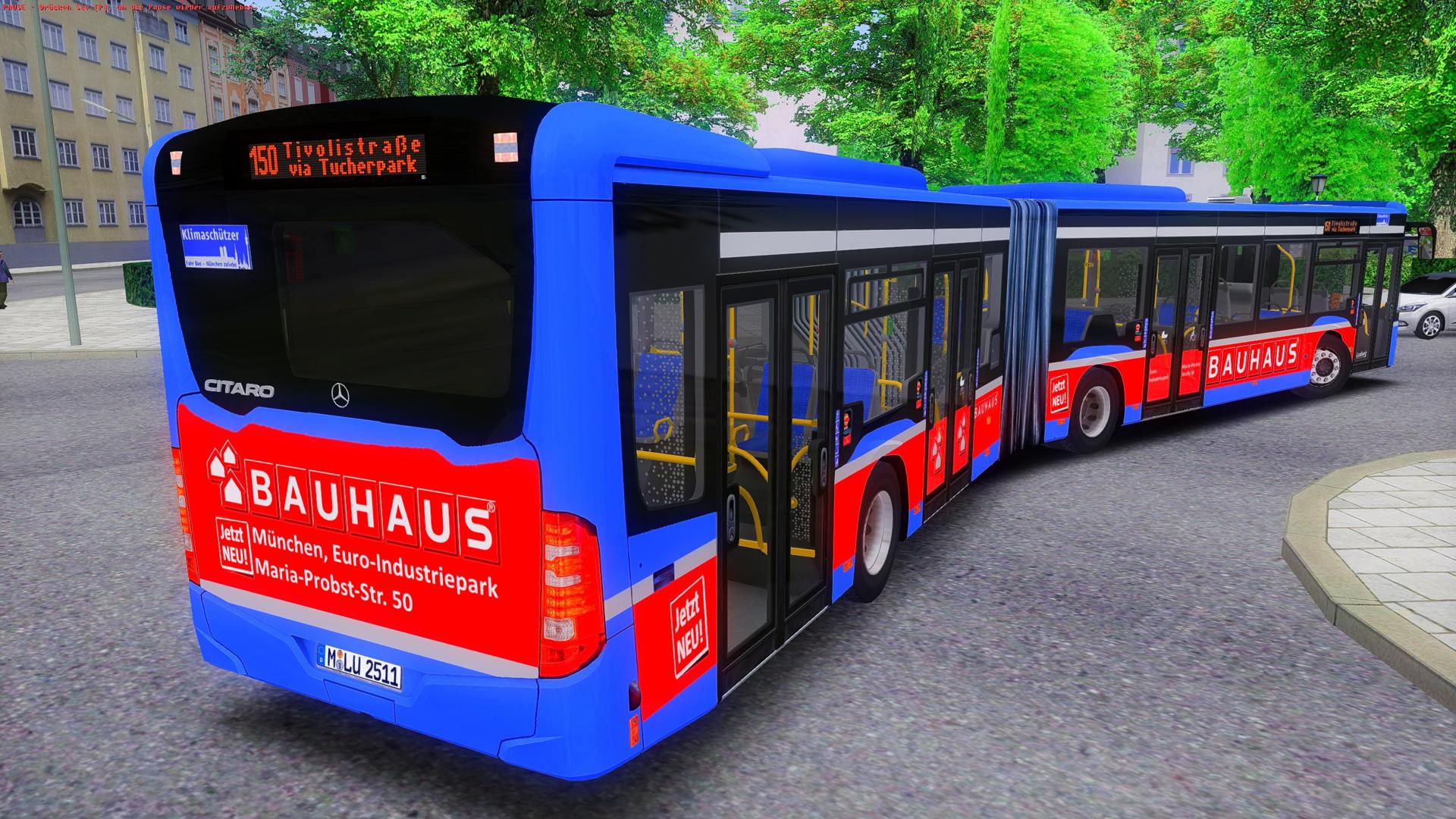
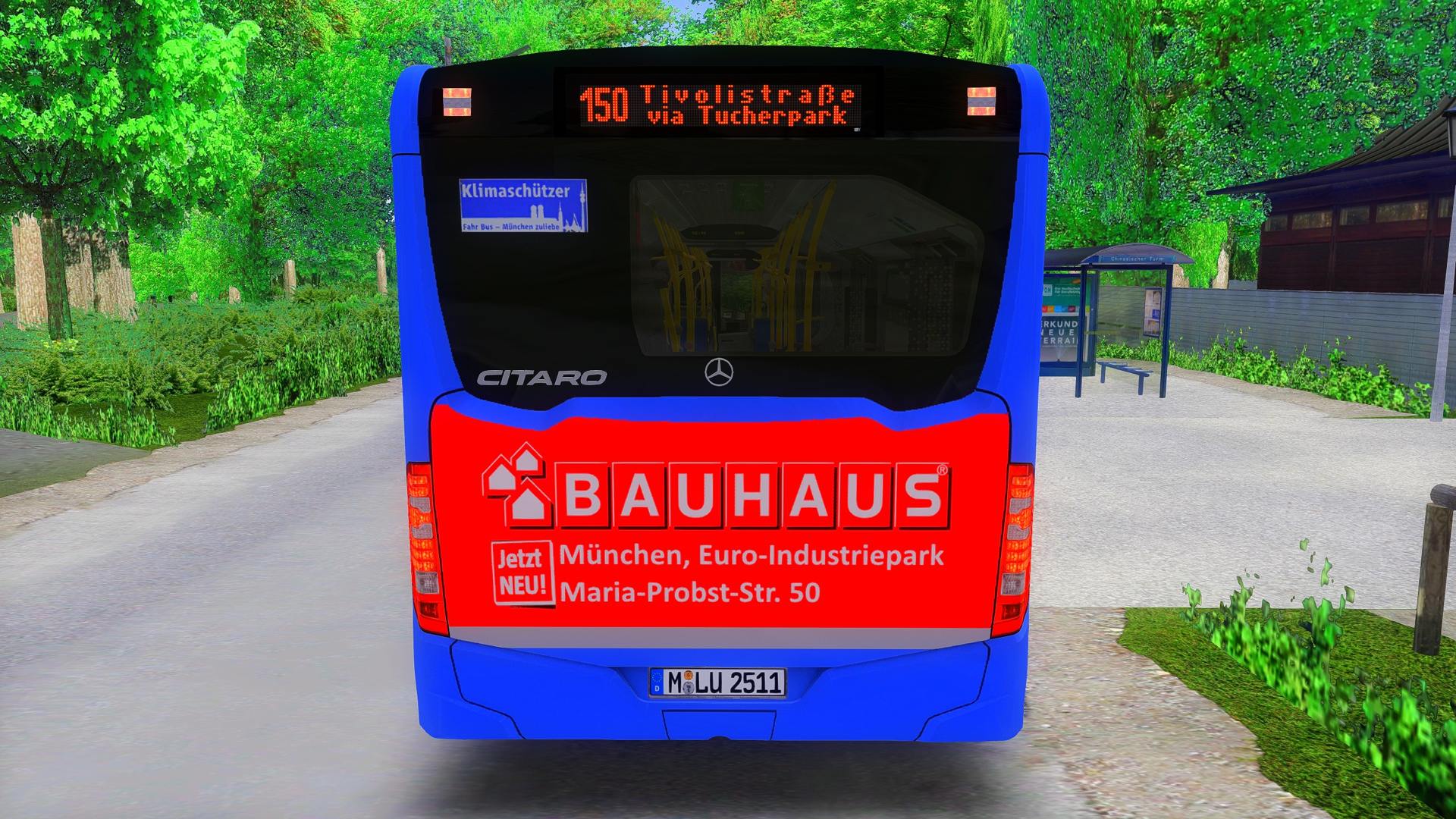
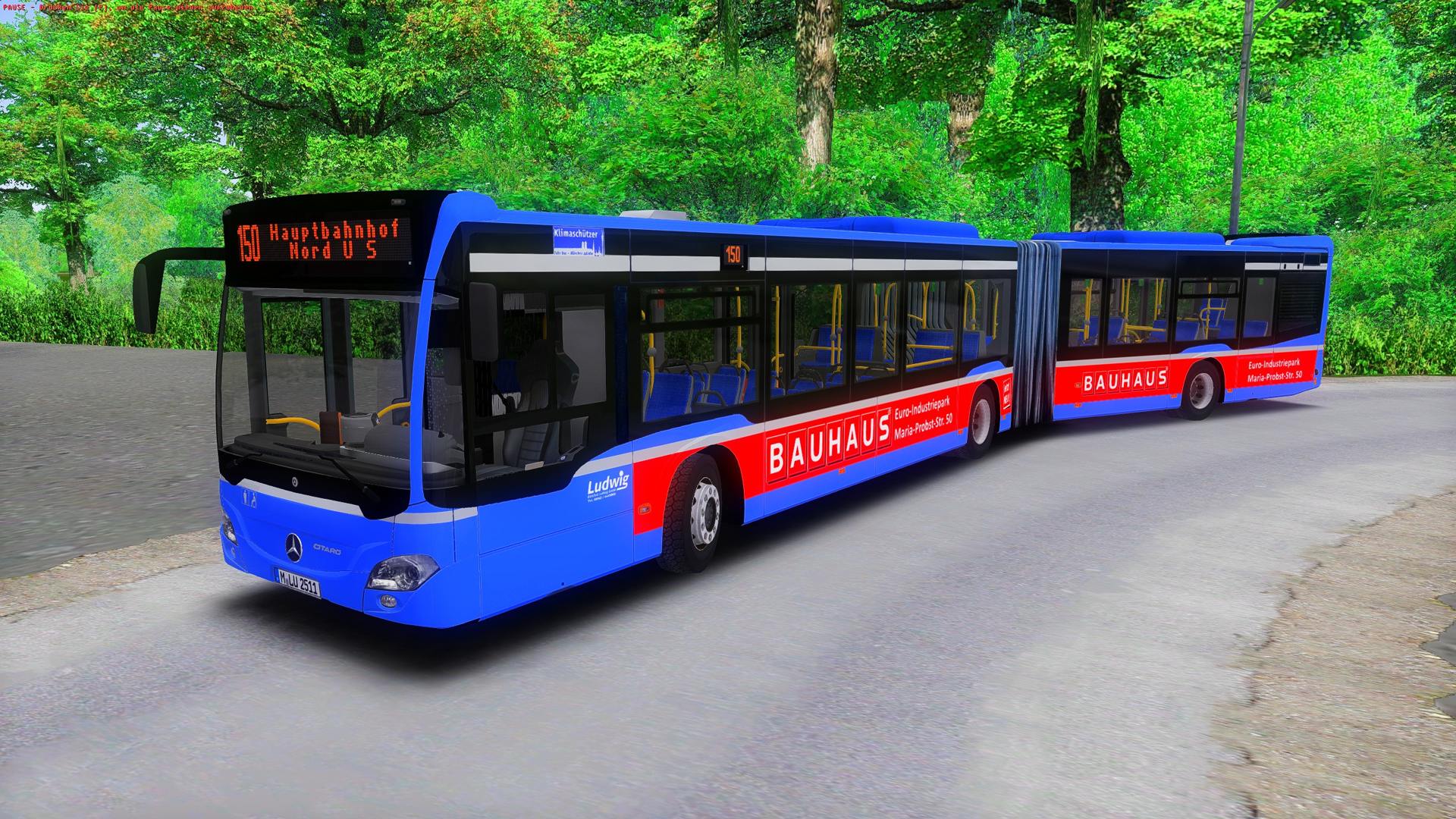
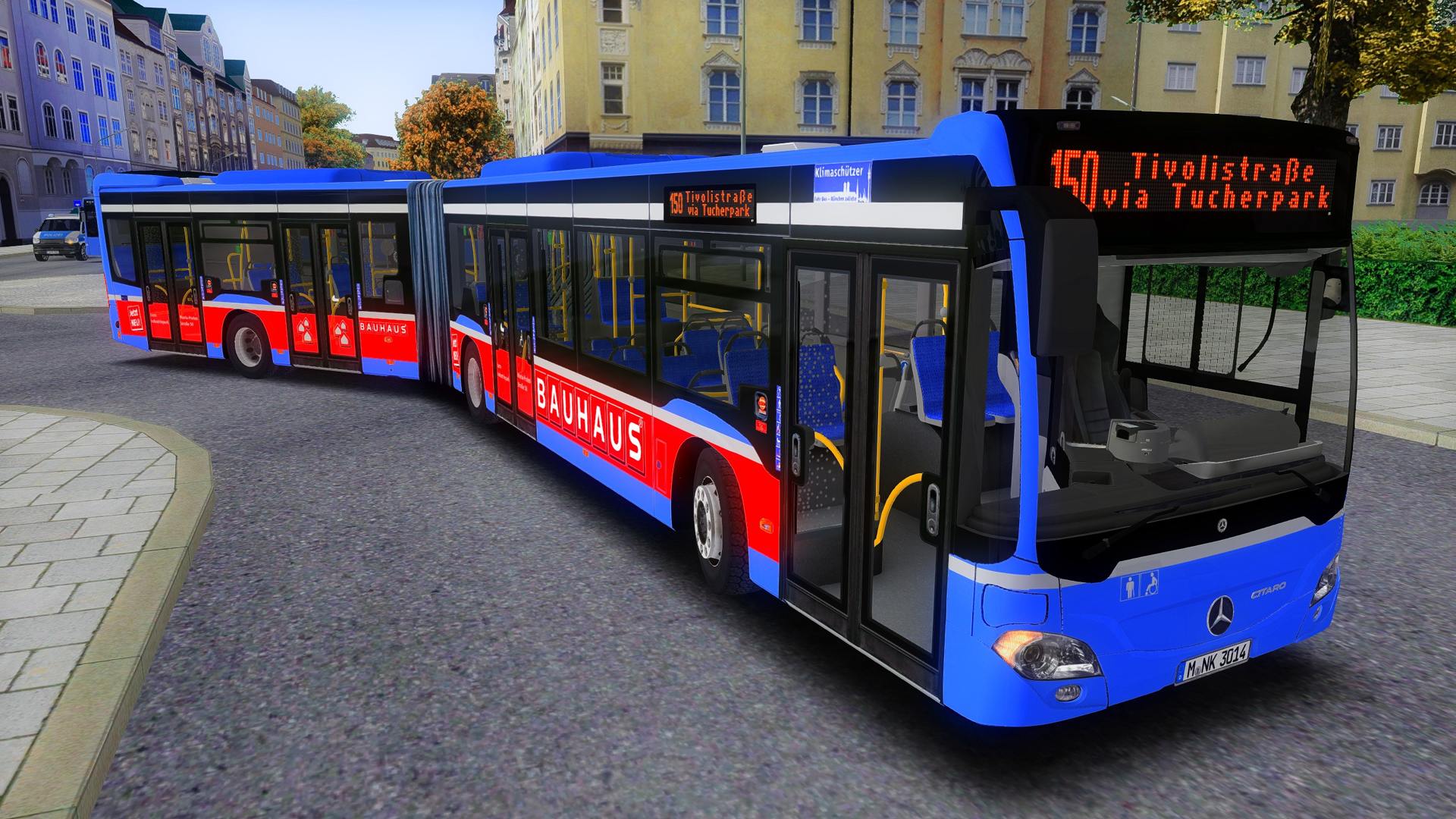
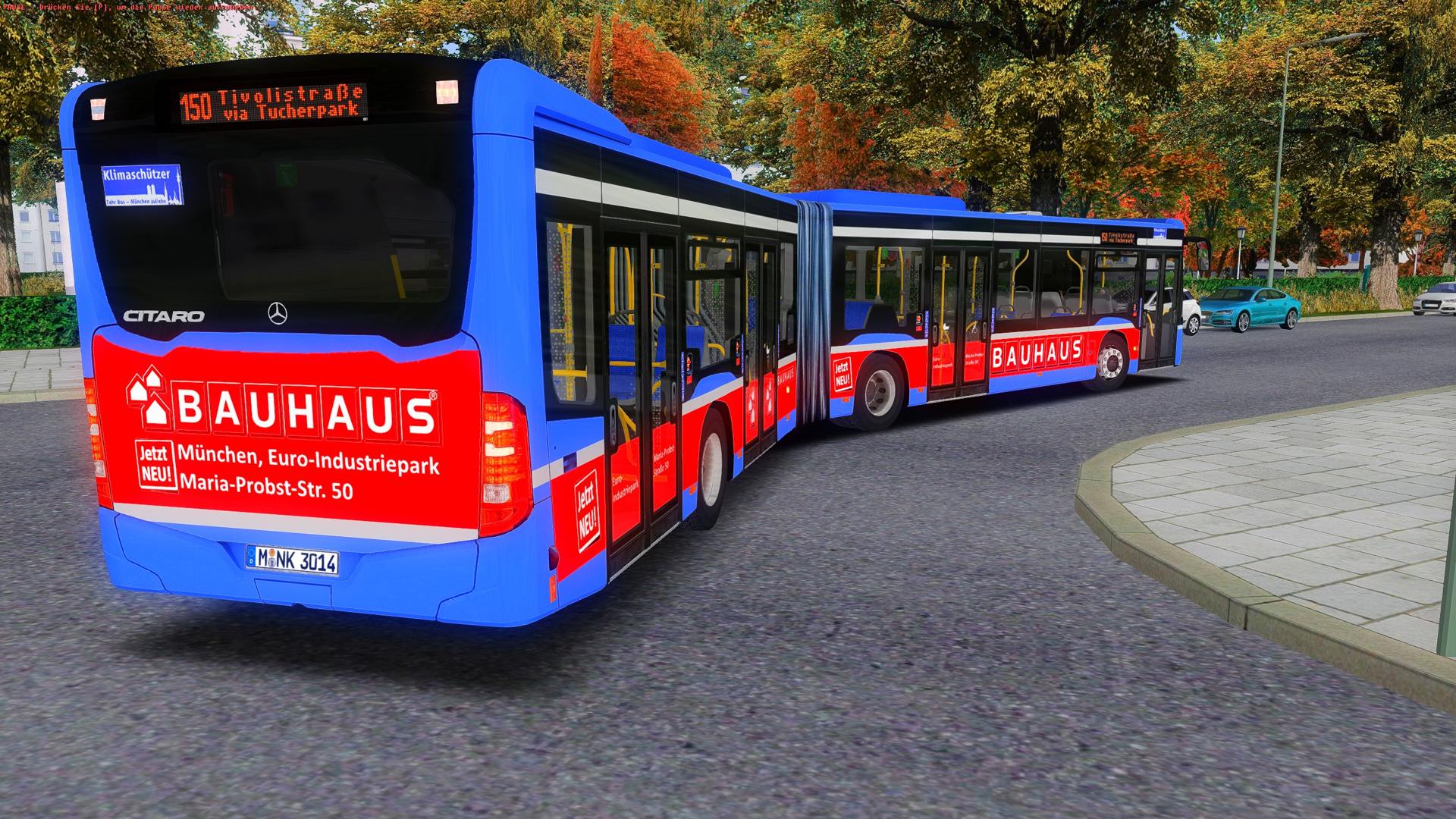
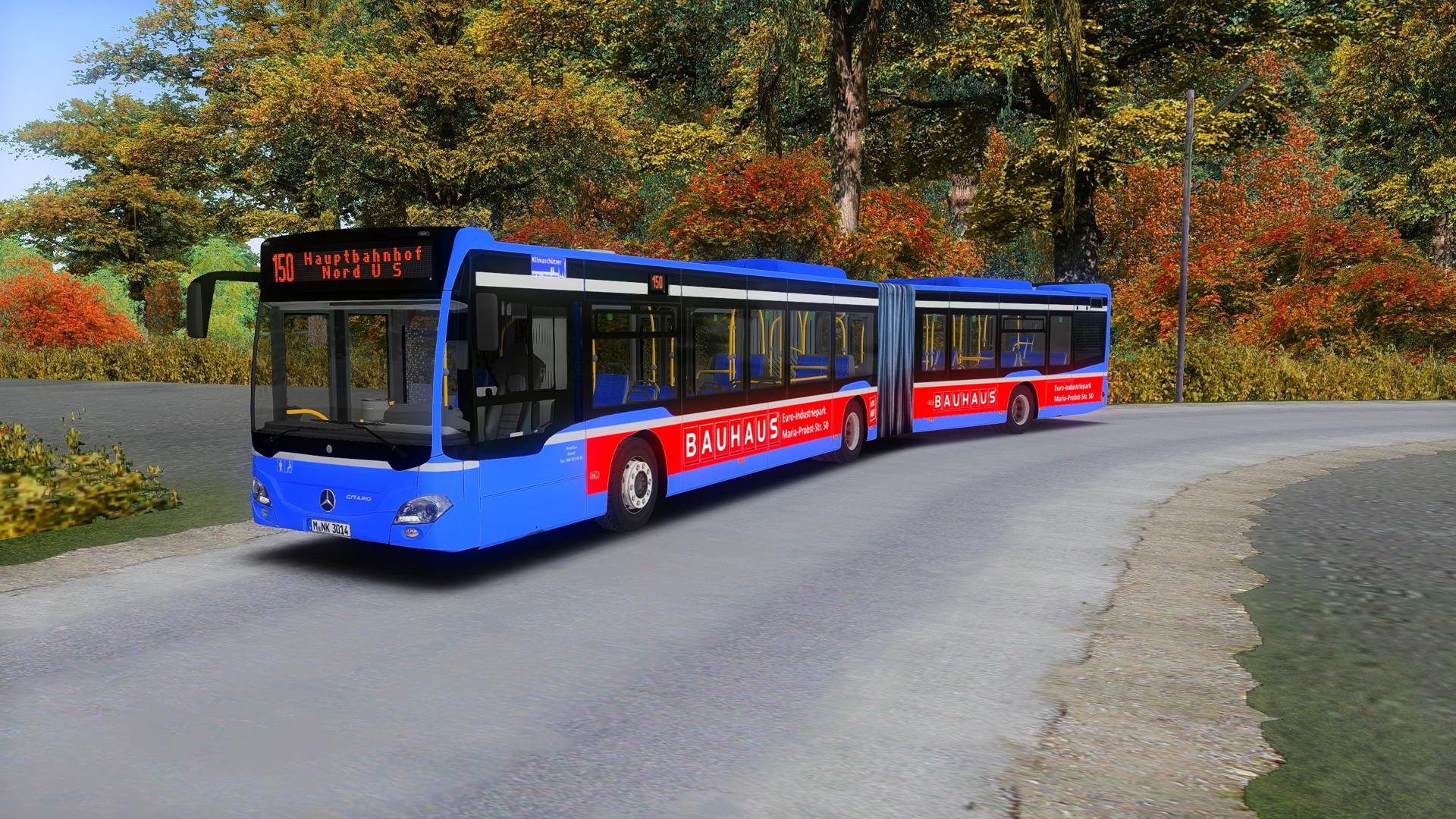
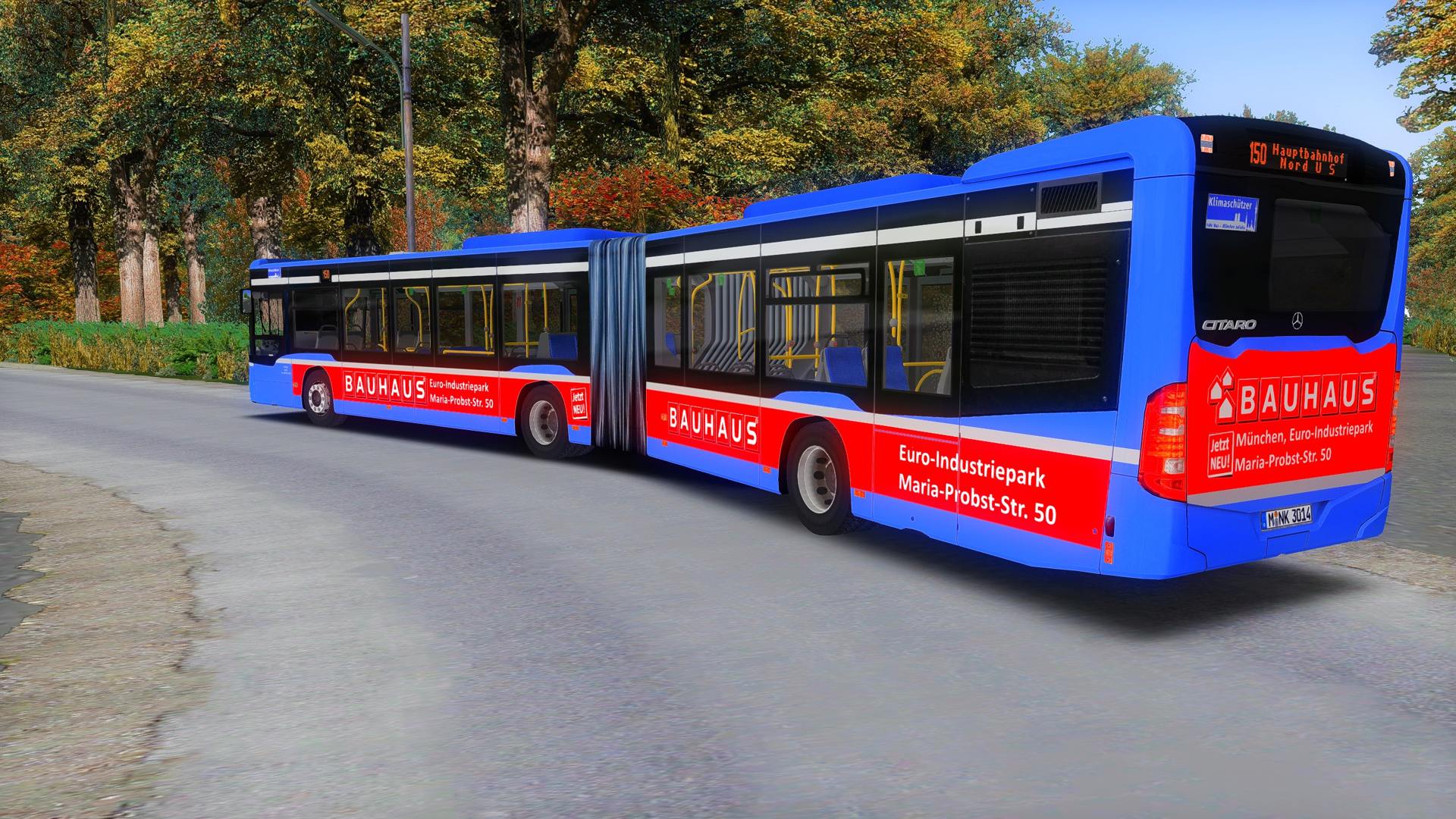
MVG-Repaint | Bauhaus | C2 €6 GN 4T von Mx.200
\/ Bitte nach unten scrollen \/
618 Downloads
3 Versionen
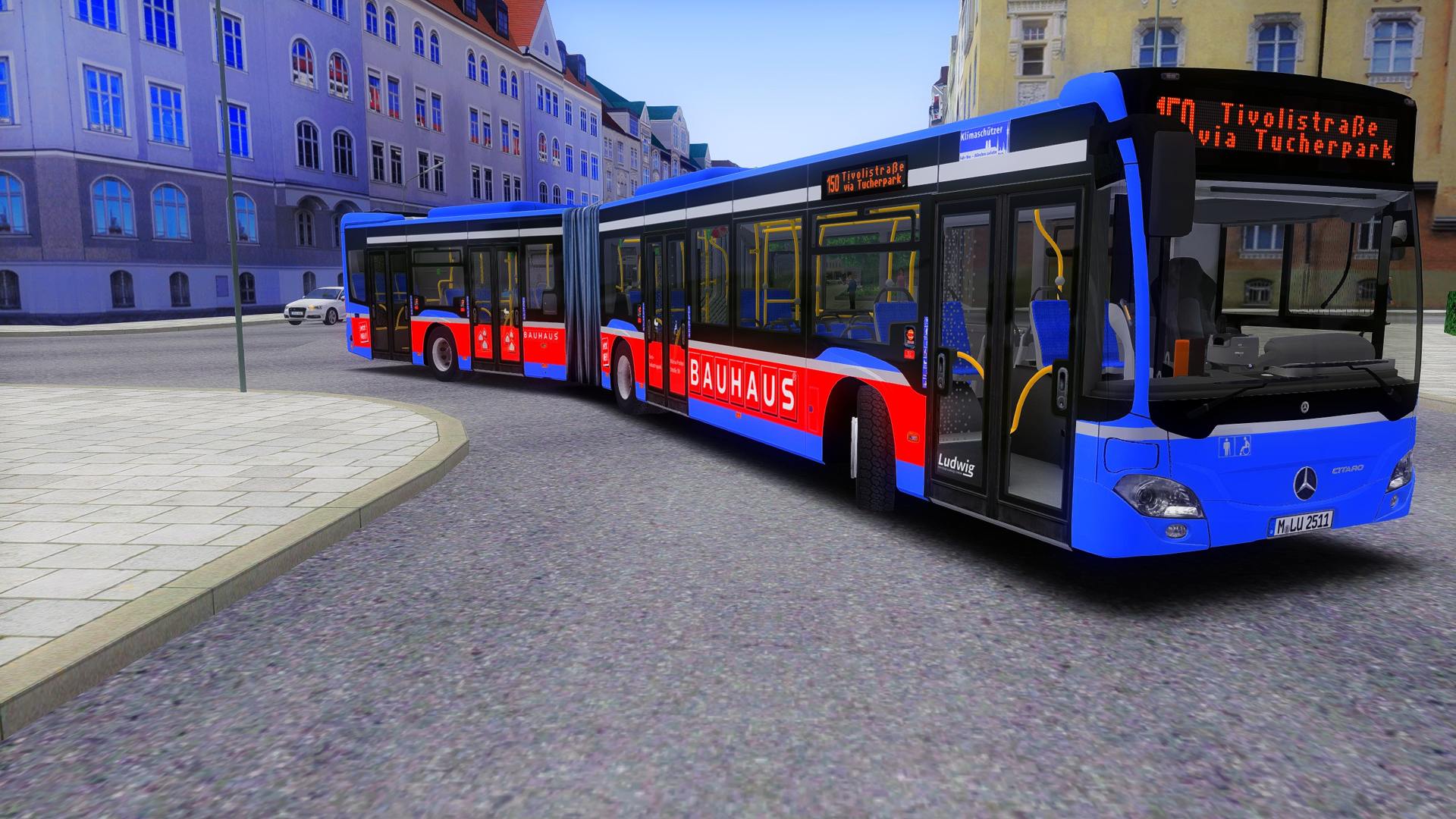
<p>Hiermit stelle ich euch meine MVG-Bauhaus Repaints für den €6 C2 4T von Mx.dsgn zur Verfügung.</p><p>Die Repaints entsprechen 1:1 der Realität der Wagen 2511 und 3014.</p><p>Kennzeichen:</p><p>M-LU 2511</p><p>M-NV 3014</p><p><br></p><p>Benötigt wird das C2 Paket von <a href="https://reboot.omsi-webdisk.de/community/user/8816-mx-dsgn-mx200/">Mx.dsgn</a>.</p><woltlab-metacode data-name="file" data-attributes="WyI5NTI2Il0="></woltlab-metacode><p><br></p><p>Dazu empfehle ich den Metro-Mod von <a href="https://reboot.omsi-webdisk.de/community/user/7850-pingpong/">PingPong</a>, mit welchem die Fahrgäste an allen Türen einsteigen.</p><woltlab-metacode data-name="file" data-attributes="WyI5NjAzIl0="></woltlab-metacode><p><br></p><p><woltlab-metacode data-name="attach" data-attributes="WyIxOTMwMjgiLCJub25lIiwiZmFsc2UiXQ=="></woltlab-metacode></p><h2><strong>BITTE BEACHTEN:</strong></h2>
<woltlab-spoiler data-label="Um die Aufkleber am Fahrzeug zu entfernen: (DE)"><p><strong>Schritt 1</strong>: Bitte die model.cfg öffnen (..\OMSI 2\Vehicles\MB_C2_EN_BVG\Model\model_MB_C2_E6_Gn_4T_Main.cfg), darin nach Kleber_aussen.o3d suchen (strg + F) und darunter folgendes eintragen:</p><pre>[visible]
Kleber_aussen
0</pre>
<p><strong><br></strong></p><p><strong>Schritt 2:</strong> Nun die visual_varlist.txt (..\OMSI 2\Vehicles\MB_C2_EN_BVG\Script\visual_varlist.txt) öffnen und folgendes darunter eintragen:</p><pre>Kleber_aussen</pre>
<p><strong><br></strong></p><p><strong>Schritt 3:</strong> Um die Aufkleber jetzt bei einem Repaint zu entfernen, bitte folgendes in die .cti des Repaints eintragen:</p><pre>[setvar]
Kleber_aussen
1</pre>
<p><strong><em><span style="font-size: 18pt;">Fertig!</span></em></strong></p><p><strong><u><em><br></em></u></strong></p><p><strong><u><em>Schritt 3 ist bei diesem Repaint bereits enthalten!</em></u></strong></p><p><br></p><p>[setvar]</p><p>Kleber_aussen = sichtbar</p><p>0</p><p><br></p><p>[setvar]</p><p>Kleber_aussen = unsichtbar</p><p>1</p></woltlab-spoiler>
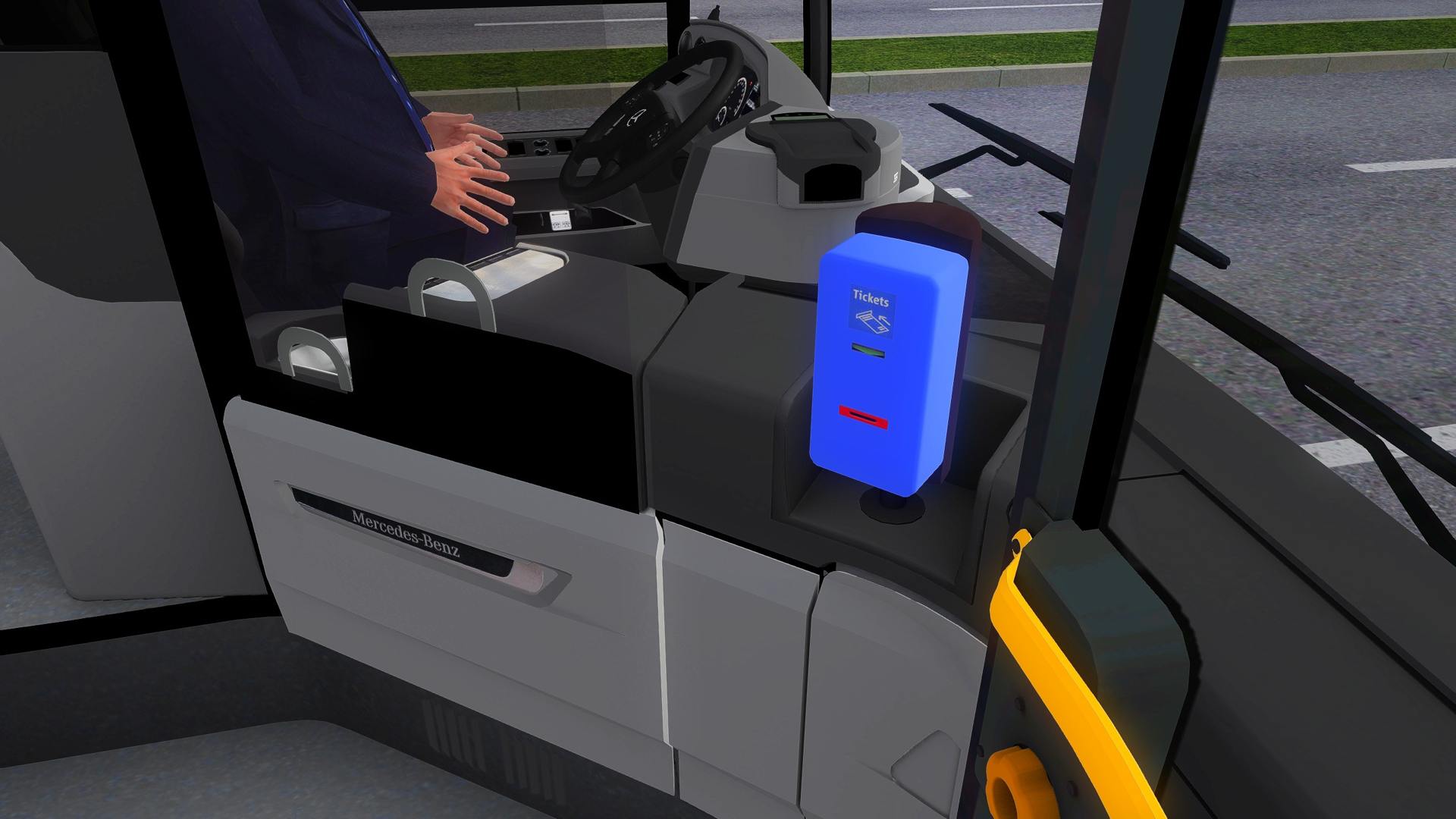
<woltlab-spoiler data-label="Für den Entwerter der MVG: (DE)"><p><strong>Schritt 1:</strong> Bitte die model.cfg öffnen (..\OMSI 2\Vehicles\MB_C2_EN_BVG\Model\model_MB_C2_E6_Gn_4T_Main.cfg) und direkt bei Textur-Changes folgendes einfügen:</p><p><br></p><pre>[CTCTexture]
Entwerter
EntwerterK1.jpg</pre>
<p><br></p><p><strong><em><span style="font-size: 18pt;">Fertig!</span></em></strong></p></woltlab-spoiler>
<p><br></p><p>------------------------------------------------------------------------------------------------------------------------------------------------------------------------------------------------------</p><p><woltlab-metacode data-name="attach" data-attributes="WyIxOTMwMjkiLCJub25lIiwiZmFsc2UiXQ=="></woltlab-metacode></p><h2><strong>PLEASE NOTE:</strong></h2>
<woltlab-spoiler data-label="To remove the stickers on the vehicle: (EN)"><p><strong>Step 1:</strong> Please open the model.cfg (..\OMSI 2\Vehicles\MB_C2_EN_BVG\Model\model_MB_C2_E6_Gn_4T_Main.cfg), search for Kleber_aussen.o3d (Ctrl + F) and enter the following below:</p><pre>[visible]
Kleber_aussen
0</pre>
<p><strong><br></strong></p><p><strong>Step 2:</strong> Now open the visual_varlist.txt (..\OMSI 2\Vehicles\MB_C2_EN_BVG\Script\visual_varlist.txt) and enter the following below:</p><pre>Kleber_aussen</pre>
<p><strong><br></strong></p><p><strong>Step 3:</strong> To remove the stickers for a repaint now, please enter the following in the .cti of the repaint:</p><pre>[setvar]
Kleber_aussen
1</pre>
<p><strong><em><span style="font-size: 18pt;">Completed!</span></em></strong></p><p><strong><u><em><br></em></u></strong></p><p><strong><u><em><br></em></u></strong></p><p><strong><u><em>Step 3</em></u><u> is already included in this repaint!</u></strong></p><p><br></p><p>[setvar]</p><p>Kleber_aussen = visible</p><p>0</p><p><br></p><p>[setvar]</p><p>Kleber_aussen = invisible</p><p>1</p></woltlab-spoiler>
<woltlab-spoiler data-label="For the validator of the MVG: (EN)"><p><strong>Step 1:</strong> Please open the model.cfg (..\OMSI 2\Vehicles\MB_C2_EN_BVG\Model\model_MB_C2_E6_Gn_4T_Main.cfg) and add the following directly to texture changes:</p><p><br></p><pre>[CTCTexture]
Entwerter
EntwerterK1.jpg</pre>
<p><br></p><p><strong><em><span style="font-size: 18pt;">Completed!</span></em></strong></p></woltlab-spoiler>
<p>------------------------------------------------------------------------------------------------------------------------------------------------------------------------------------------------------</p><p><br></p><p>Have Fun!</p><woltlab-spoiler data-label="Bilder [2511]"><p><woltlab-metacode data-name="attach" data-attributes="WyIxOTI3ODIiLCJub25lIiwiZmFsc2UiXQ=="></woltlab-metacode></p><p><br></p><p><woltlab-metacode data-name="attach" data-attributes="WyIxOTI3ODMiLCJub25lIiwiZmFsc2UiXQ=="></woltlab-metacode></p><p><br></p><p><woltlab-metacode data-name="attach" data-attributes="WyIxOTI3ODQiLCJub25lIiwiZmFsc2UiXQ=="></woltlab-metacode></p><p><br></p><p><woltlab-metacode data-name="attach" data-attributes="WyIxOTI3ODUiLCJub25lIiwiZmFsc2UiXQ=="></woltlab-metacode></p></woltlab-spoiler>
<woltlab-spoiler data-label="Bilder [3014]"><p><woltlab-metacode data-name="attach" data-attributes="WyIyMDQzNTIiLCJub25lIiwiZmFsc2UiXQ=="></woltlab-metacode></p><p><br></p><p><woltlab-metacode data-name="attach" data-attributes="WyIyMDQzNTMiLCJub25lIiwiZmFsc2UiXQ=="></woltlab-metacode></p><p><br></p><p><woltlab-metacode data-name="attach" data-attributes="WyIyMDQzNTQiLCJub25lIiwiZmFsc2UiXQ=="></woltlab-metacode></p><p><br></p><p><woltlab-metacode data-name="attach" data-attributes="WyIyMDQzNTUiLCJub25lIiwiZmFsc2UiXQ=="></woltlab-metacode></p></woltlab-spoiler>
<woltlab-spoiler data-label="Um die Aufkleber am Fahrzeug zu entfernen: (DE)"><p><strong>Schritt 1</strong>: Bitte die model.cfg öffnen (..\OMSI 2\Vehicles\MB_C2_EN_BVG\Model\model_MB_C2_E6_Gn_4T_Main.cfg), darin nach Kleber_aussen.o3d suchen (strg + F) und darunter folgendes eintragen:</p><pre>[visible]
Kleber_aussen
0</pre>
<p><strong><br></strong></p><p><strong>Schritt 2:</strong> Nun die visual_varlist.txt (..\OMSI 2\Vehicles\MB_C2_EN_BVG\Script\visual_varlist.txt) öffnen und folgendes darunter eintragen:</p><pre>Kleber_aussen</pre>
<p><strong><br></strong></p><p><strong>Schritt 3:</strong> Um die Aufkleber jetzt bei einem Repaint zu entfernen, bitte folgendes in die .cti des Repaints eintragen:</p><pre>[setvar]
Kleber_aussen
1</pre>
<p><strong><em><span style="font-size: 18pt;">Fertig!</span></em></strong></p><p><strong><u><em><br></em></u></strong></p><p><strong><u><em>Schritt 3 ist bei diesem Repaint bereits enthalten!</em></u></strong></p><p><br></p><p>[setvar]</p><p>Kleber_aussen = sichtbar</p><p>0</p><p><br></p><p>[setvar]</p><p>Kleber_aussen = unsichtbar</p><p>1</p></woltlab-spoiler>
<woltlab-spoiler data-label="Für den Entwerter der MVG: (DE)"><p><strong>Schritt 1:</strong> Bitte die model.cfg öffnen (..\OMSI 2\Vehicles\MB_C2_EN_BVG\Model\model_MB_C2_E6_Gn_4T_Main.cfg) und direkt bei Textur-Changes folgendes einfügen:</p><p><br></p><pre>[CTCTexture]
Entwerter
EntwerterK1.jpg</pre>
<p><br></p><p><strong><em><span style="font-size: 18pt;">Fertig!</span></em></strong></p></woltlab-spoiler>
<p><br></p><p>------------------------------------------------------------------------------------------------------------------------------------------------------------------------------------------------------</p><p><woltlab-metacode data-name="attach" data-attributes="WyIxOTMwMjkiLCJub25lIiwiZmFsc2UiXQ=="></woltlab-metacode></p><h2><strong>PLEASE NOTE:</strong></h2>
<woltlab-spoiler data-label="To remove the stickers on the vehicle: (EN)"><p><strong>Step 1:</strong> Please open the model.cfg (..\OMSI 2\Vehicles\MB_C2_EN_BVG\Model\model_MB_C2_E6_Gn_4T_Main.cfg), search for Kleber_aussen.o3d (Ctrl + F) and enter the following below:</p><pre>[visible]
Kleber_aussen
0</pre>
<p><strong><br></strong></p><p><strong>Step 2:</strong> Now open the visual_varlist.txt (..\OMSI 2\Vehicles\MB_C2_EN_BVG\Script\visual_varlist.txt) and enter the following below:</p><pre>Kleber_aussen</pre>
<p><strong><br></strong></p><p><strong>Step 3:</strong> To remove the stickers for a repaint now, please enter the following in the .cti of the repaint:</p><pre>[setvar]
Kleber_aussen
1</pre>
<p><strong><em><span style="font-size: 18pt;">Completed!</span></em></strong></p><p><strong><u><em><br></em></u></strong></p><p><strong><u><em><br></em></u></strong></p><p><strong><u><em>Step 3</em></u><u> is already included in this repaint!</u></strong></p><p><br></p><p>[setvar]</p><p>Kleber_aussen = visible</p><p>0</p><p><br></p><p>[setvar]</p><p>Kleber_aussen = invisible</p><p>1</p></woltlab-spoiler>
<woltlab-spoiler data-label="For the validator of the MVG: (EN)"><p><strong>Step 1:</strong> Please open the model.cfg (..\OMSI 2\Vehicles\MB_C2_EN_BVG\Model\model_MB_C2_E6_Gn_4T_Main.cfg) and add the following directly to texture changes:</p><p><br></p><pre>[CTCTexture]
Entwerter
EntwerterK1.jpg</pre>
<p><br></p><p><strong><em><span style="font-size: 18pt;">Completed!</span></em></strong></p></woltlab-spoiler>
<p>------------------------------------------------------------------------------------------------------------------------------------------------------------------------------------------------------</p><p><br></p><p>Have Fun!</p><woltlab-spoiler data-label="Bilder [2511]"><p><woltlab-metacode data-name="attach" data-attributes="WyIxOTI3ODIiLCJub25lIiwiZmFsc2UiXQ=="></woltlab-metacode></p><p><br></p><p><woltlab-metacode data-name="attach" data-attributes="WyIxOTI3ODMiLCJub25lIiwiZmFsc2UiXQ=="></woltlab-metacode></p><p><br></p><p><woltlab-metacode data-name="attach" data-attributes="WyIxOTI3ODQiLCJub25lIiwiZmFsc2UiXQ=="></woltlab-metacode></p><p><br></p><p><woltlab-metacode data-name="attach" data-attributes="WyIxOTI3ODUiLCJub25lIiwiZmFsc2UiXQ=="></woltlab-metacode></p></woltlab-spoiler>
<woltlab-spoiler data-label="Bilder [3014]"><p><woltlab-metacode data-name="attach" data-attributes="WyIyMDQzNTIiLCJub25lIiwiZmFsc2UiXQ=="></woltlab-metacode></p><p><br></p><p><woltlab-metacode data-name="attach" data-attributes="WyIyMDQzNTMiLCJub25lIiwiZmFsc2UiXQ=="></woltlab-metacode></p><p><br></p><p><woltlab-metacode data-name="attach" data-attributes="WyIyMDQzNTQiLCJub25lIiwiZmFsc2UiXQ=="></woltlab-metacode></p><p><br></p><p><woltlab-metacode data-name="attach" data-attributes="WyIyMDQzNTUiLCJub25lIiwiZmFsc2UiXQ=="></woltlab-metacode></p></woltlab-spoiler>
Bilder