N4016 (Solo)
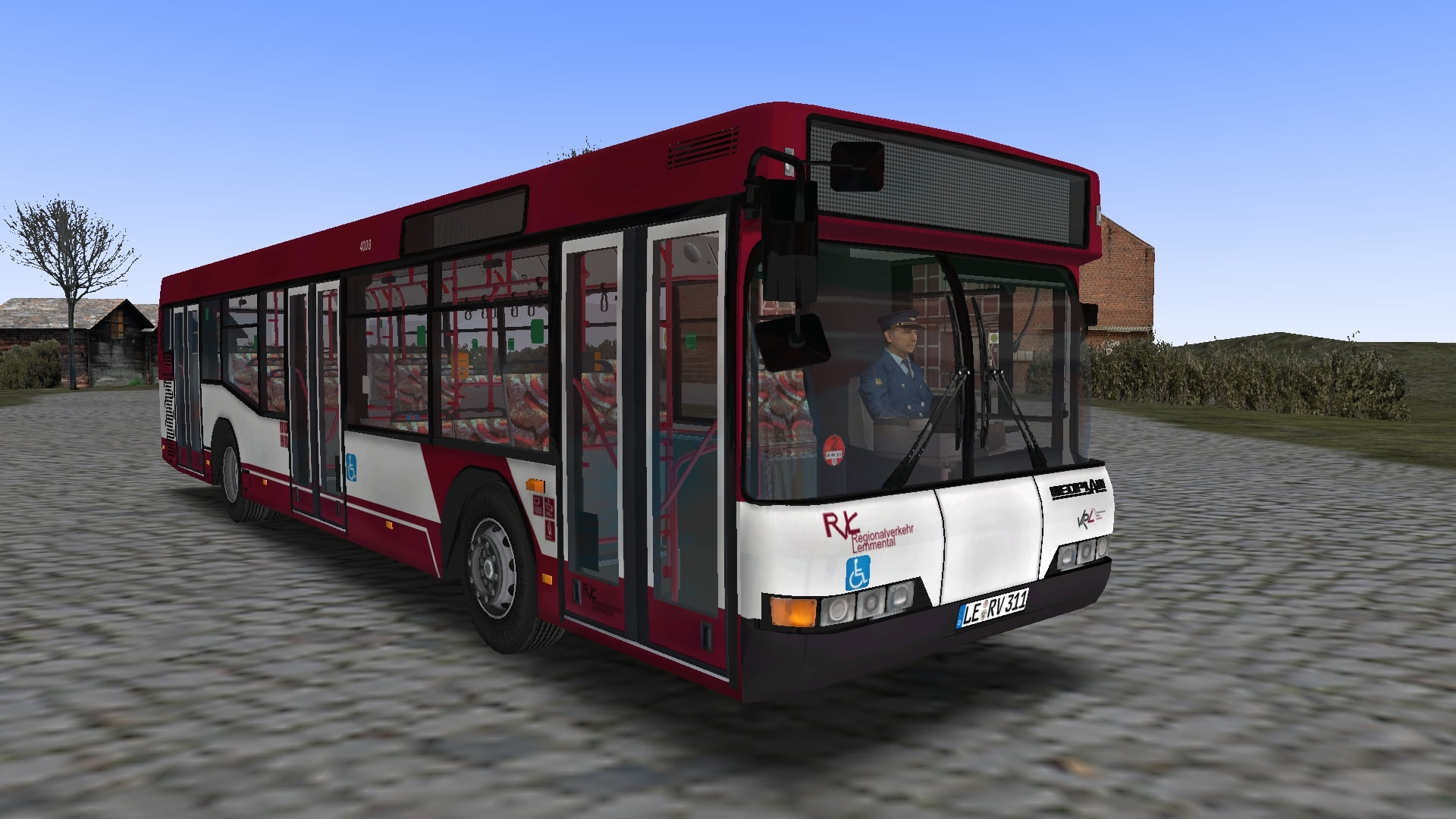
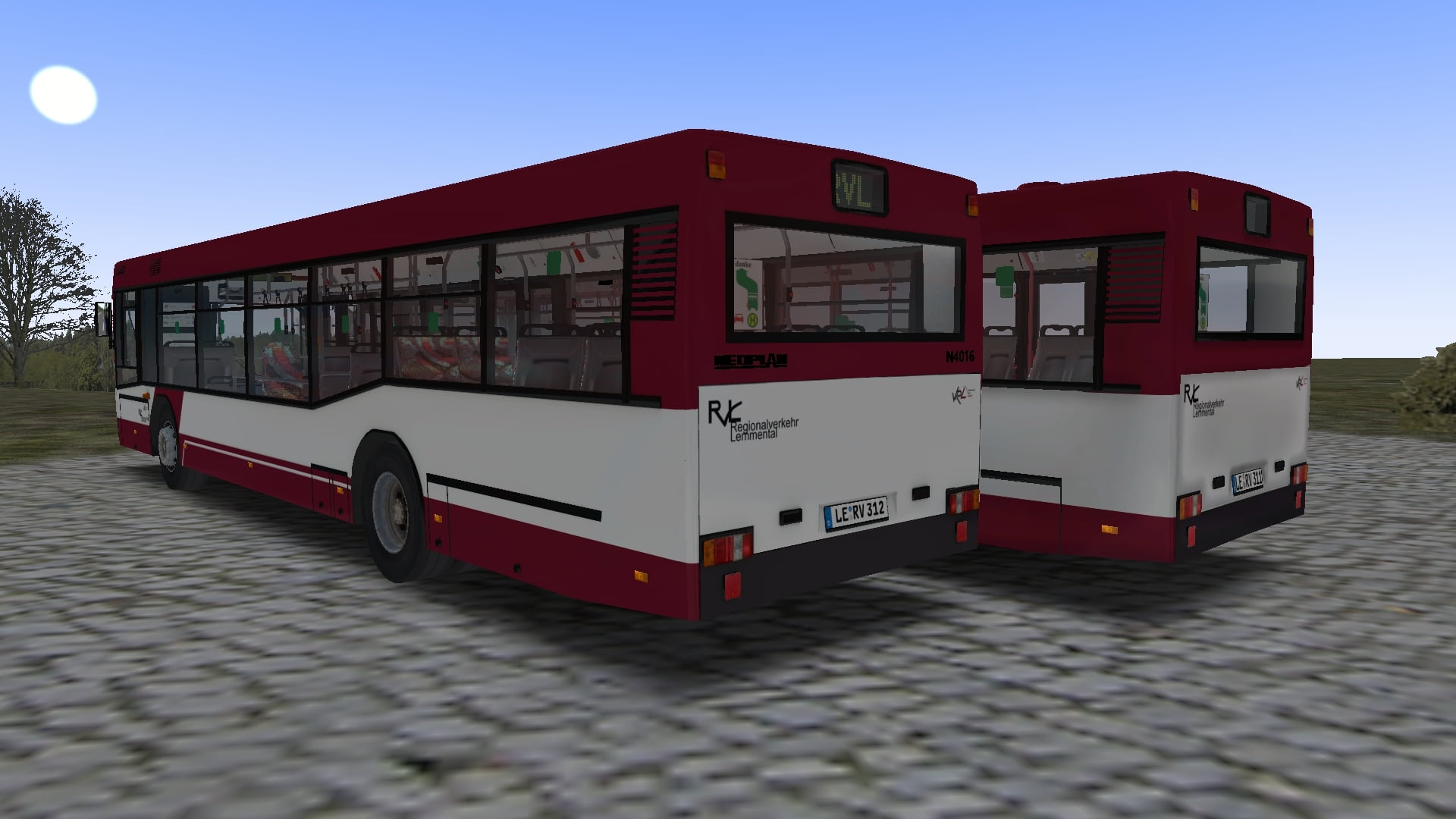
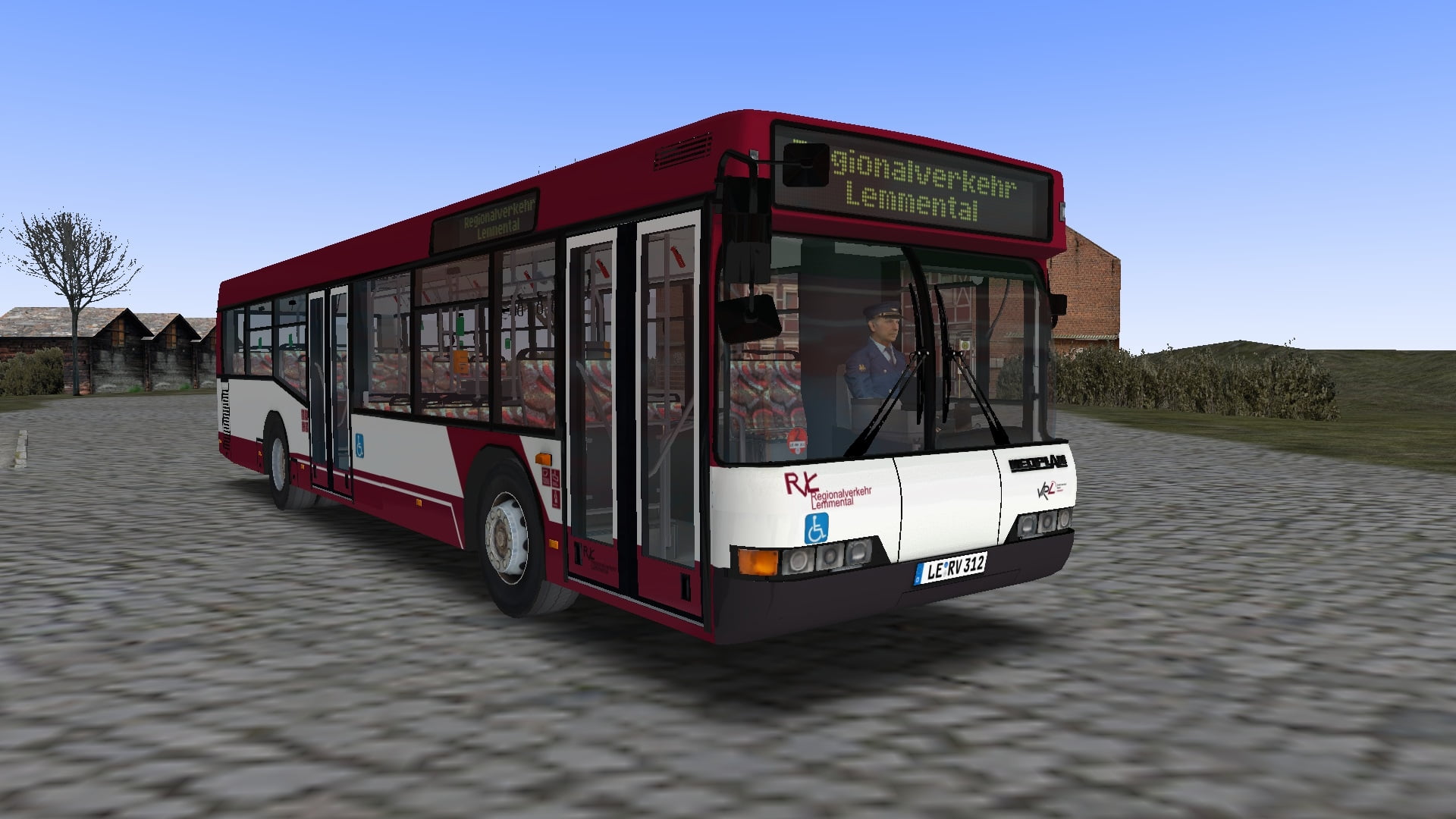
RVL Lemmental-Repaint für Neoplan N4016
[DE] Repaints des Regionalverkehrs Lemmental für den Neoplan N4016 als 2- und 3-Türer [EN] Repaints of Regionalverkehr Lemmental for the Neoplan N4016 with 2 and 3 doors
112 Downloads
1 Versionen
<p><strong></strong></p><p><strong>Bus: </strong><a href="https://forum.omnibussimulator.de/forum/index.php?thread/38710-neoplan-n4016-2-t%C3%BCrer/">Link (OMSI-Forum) (2-Türer)</a></p><p><strong></strong></p><p><strong>Map: </strong><a href="https://reboot.omsi-webdisk.de/file/3518-lemmental-v3-updated-2018/#overview">Lemmental V3 Updated 2018</a></p><p><br></p><p><strong>Installation: <br></strong></p><p><woltlab-metacode data-name="flag" data-attributes="WyJkZSJd"></woltlab-metacode><strong><br></strong></p><woltlab-spoiler>
<p>Die Zip-Datei einfach im OMSI-Hauptverzeichnis entpacken.</p>
<p><br></p>Damit alle Texturen bei allen Varianten funktionieren, sind folgende Änderungen an den Modeldateien durchzuführen:<br><br>1. Öffne die Modeldatei "Model_N4016_DE.cfg" und füge im Abschnitt "REPAINTS / MALOWANIA / COLORSCHEME" folgendes hinzu:
<p><br></p><pre>[CTCTexture]
farbschema_tex3
N4016_Stehplatz.png</pre>
<p>2. Öffne die Modeldatei "Model_N4016_DE.cfg" im Ordner "..\Vehicles\Neoplan_N4016\Model" und füge im Abschnitt "REPAINTS / MALOWANIA / COLORSCHEME" folgendes hinzu:</p><pre>[CTCTexture]
farbschema_tex2
N4016_Stehplatz.png</pre>
</woltlab-spoiler>
<p><woltlab-metacode data-name="flag" data-attributes="WyJnYiJd"></woltlab-metacode><strong><br></strong></p><woltlab-spoiler>
<p>Simply unzip the zip-file into the OMSI main directory.</p>
<p><br></p>
<p>In order for all textures to work at all variants, the following changes must be made to the model files:</p>
<p><br></p>
<p>1. Open the model file 'Model_N4016_DE.cfg' and add the following in the section "REPAINTS / MALOWANIA / COLORSCHEME":</p><pre>[CTCTexture]
farbschema_tex3
N4016_Stehplatz.png</pre>
<p>2. Open the model file "Model_N4016_DE.cfg" in the folder "..\Vehicles\Neoplan_N4016\Model" and add the following in the section "REPAINTS / MALOWANIA / COLORSCHEME":</p><pre>[CTCTexture]
farbschema_tex2
N4016_Stehplatz.png</pre>
</woltlab-spoiler>
<p>Viel Spaß! Have fun!</p>
<p>Die Zip-Datei einfach im OMSI-Hauptverzeichnis entpacken.</p>
<p><br></p>Damit alle Texturen bei allen Varianten funktionieren, sind folgende Änderungen an den Modeldateien durchzuführen:<br><br>1. Öffne die Modeldatei "Model_N4016_DE.cfg" und füge im Abschnitt "REPAINTS / MALOWANIA / COLORSCHEME" folgendes hinzu:
<p><br></p><pre>[CTCTexture]
farbschema_tex3
N4016_Stehplatz.png</pre>
<p>2. Öffne die Modeldatei "Model_N4016_DE.cfg" im Ordner "..\Vehicles\Neoplan_N4016\Model" und füge im Abschnitt "REPAINTS / MALOWANIA / COLORSCHEME" folgendes hinzu:</p><pre>[CTCTexture]
farbschema_tex2
N4016_Stehplatz.png</pre>
</woltlab-spoiler>
<p><woltlab-metacode data-name="flag" data-attributes="WyJnYiJd"></woltlab-metacode><strong><br></strong></p><woltlab-spoiler>
<p>Simply unzip the zip-file into the OMSI main directory.</p>
<p><br></p>
<p>In order for all textures to work at all variants, the following changes must be made to the model files:</p>
<p><br></p>
<p>1. Open the model file 'Model_N4016_DE.cfg' and add the following in the section "REPAINTS / MALOWANIA / COLORSCHEME":</p><pre>[CTCTexture]
farbschema_tex3
N4016_Stehplatz.png</pre>
<p>2. Open the model file "Model_N4016_DE.cfg" in the folder "..\Vehicles\Neoplan_N4016\Model" and add the following in the section "REPAINTS / MALOWANIA / COLORSCHEME":</p><pre>[CTCTexture]
farbschema_tex2
N4016_Stehplatz.png</pre>
</woltlab-spoiler>
<p>Viel Spaß! Have fun!</p>
Bilder