Tools & Plugins
setvarConverter - einfaches Erstellen von endlos langen Setvars!
setvarConverter - easy creating of infinitely long setvars!
146 Downloads
3 Versionen
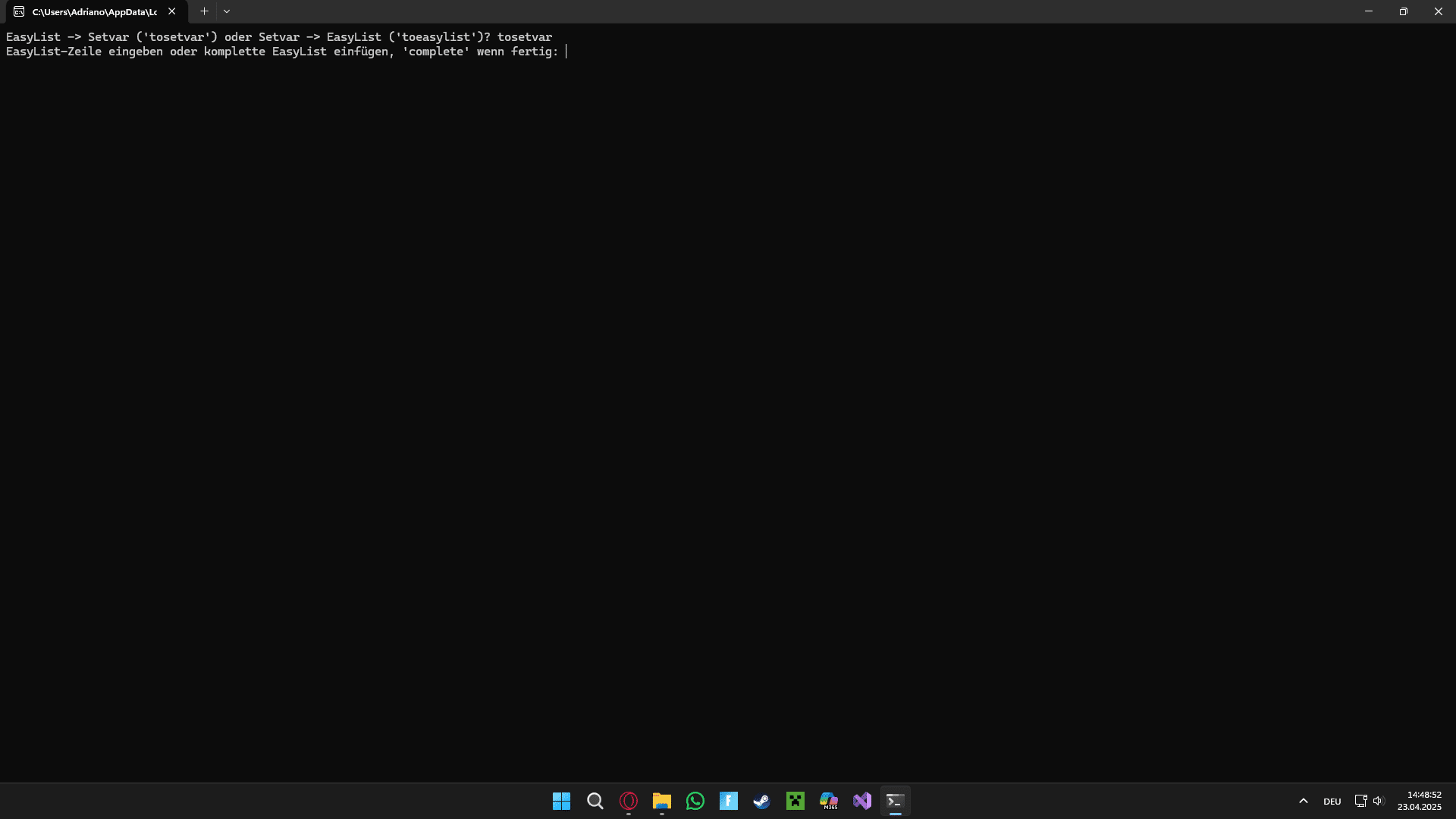
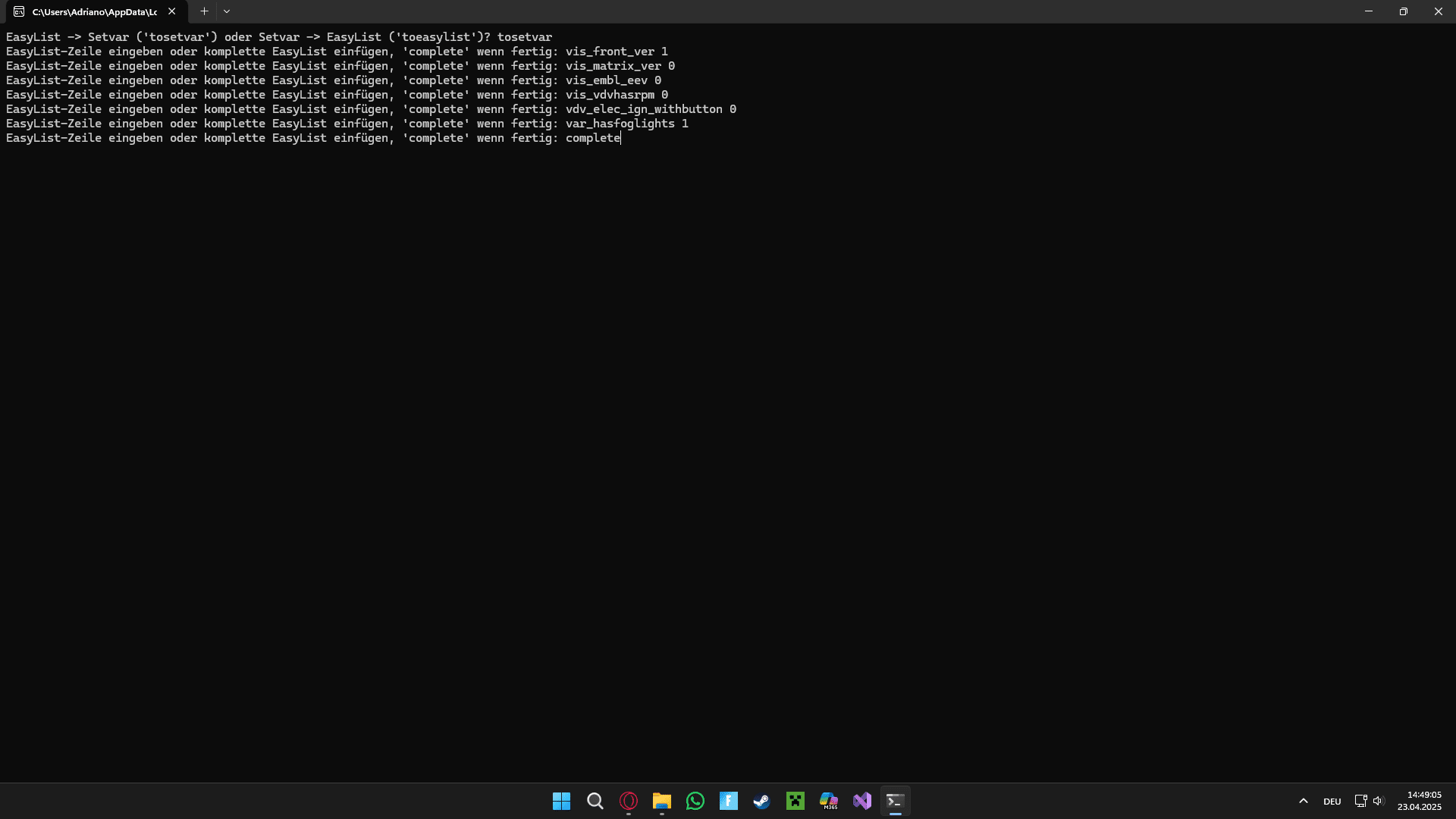
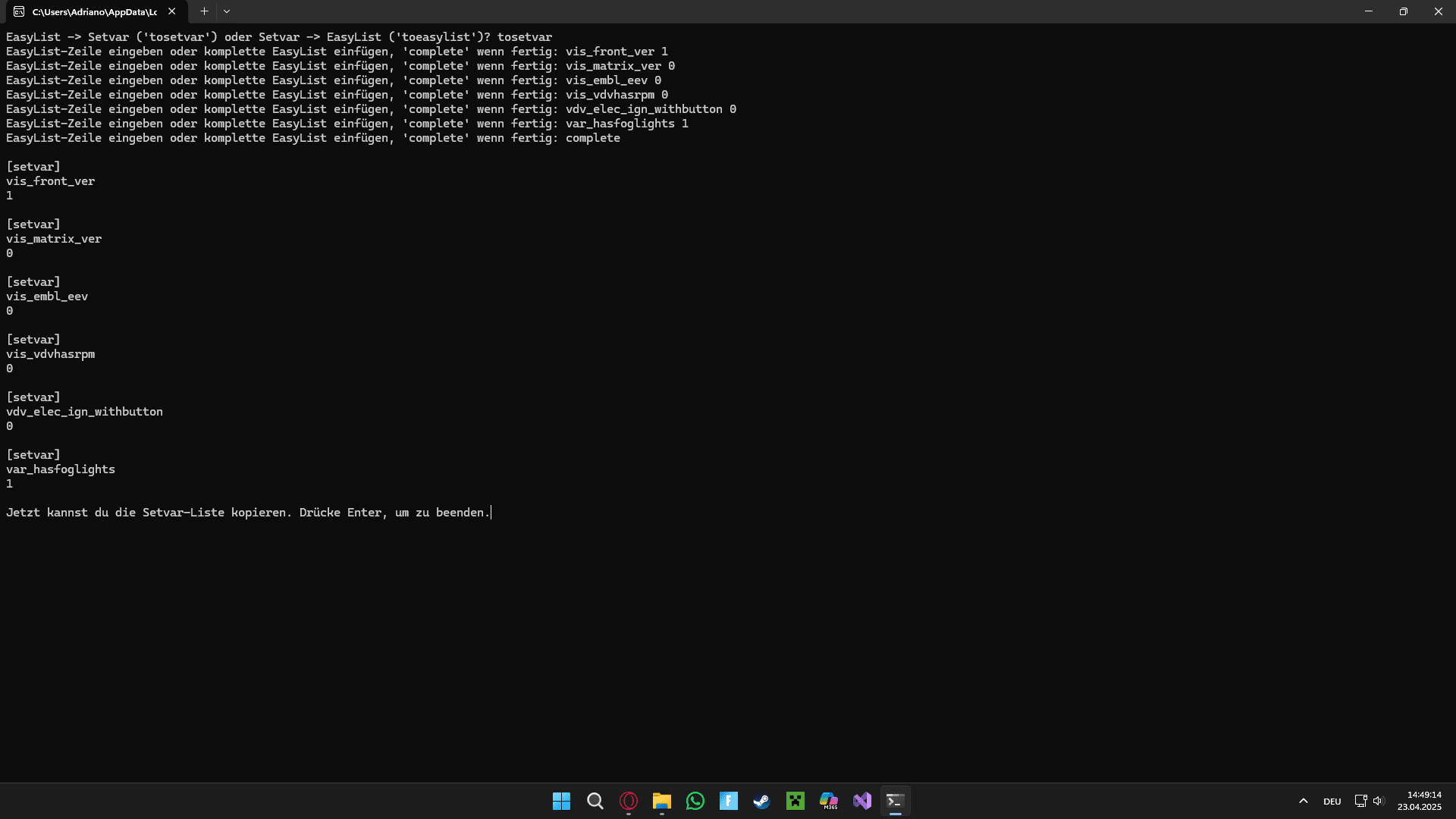
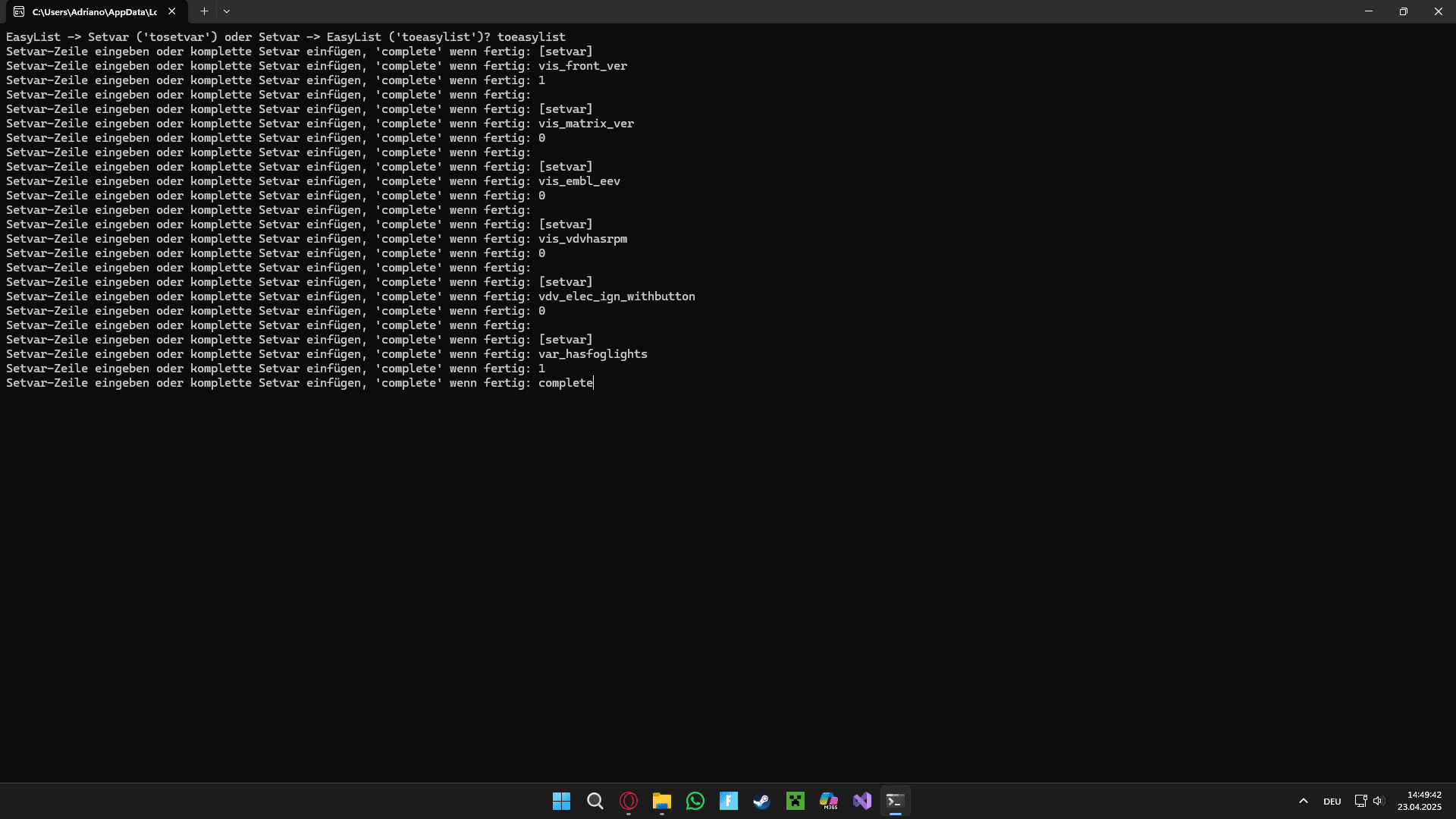
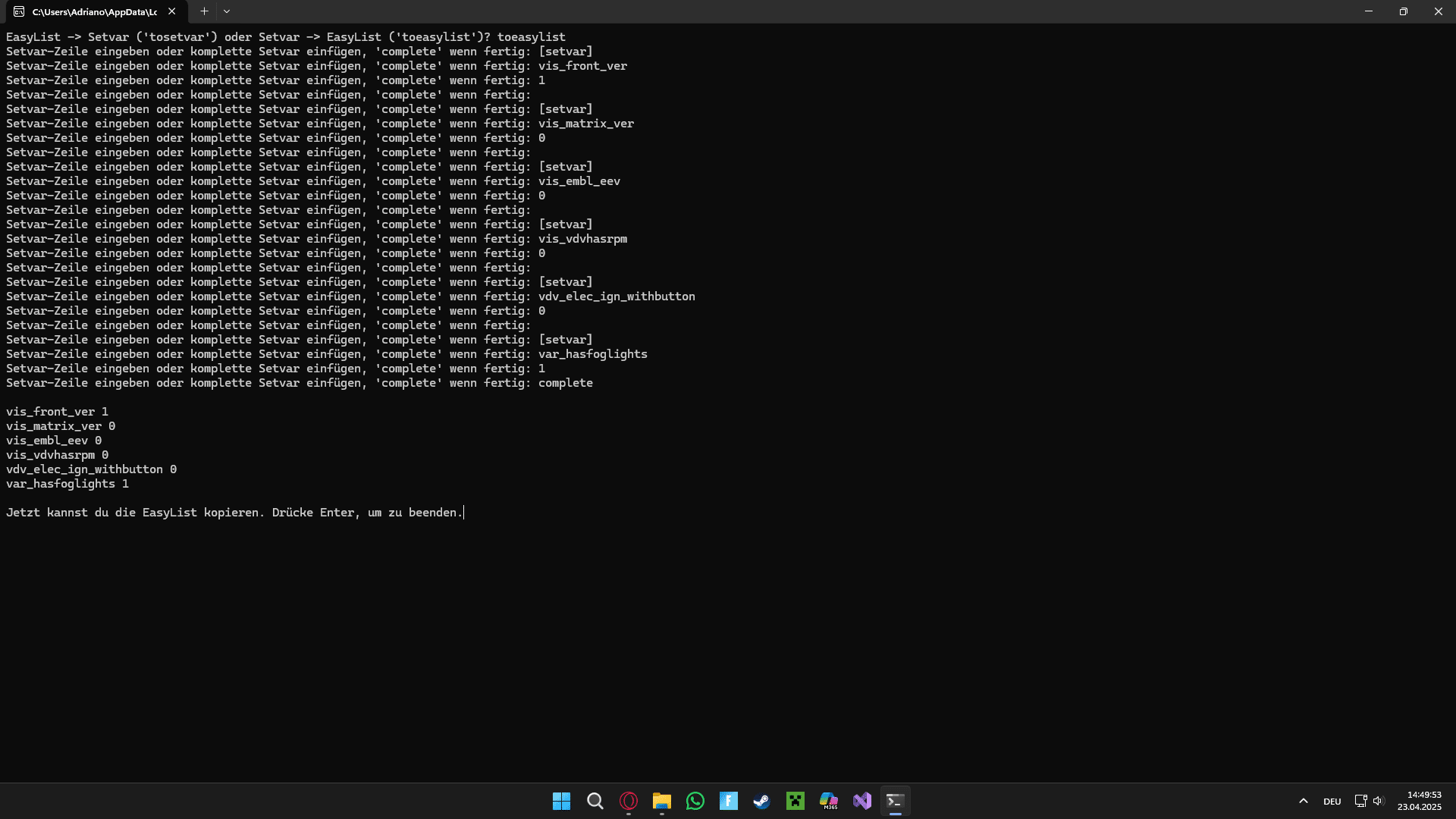
<p><strong><u><span style="font-size: 18pt;">Deutsch/German:</span></u></strong></p><p>Wenn du gerne Repaints machst, weißt du, dass man immer diese endlos langen Setvars erstellen muss. Jedes mal "[setvar]", dann die Variable, den Wert und nochmal Enter. Das muss nicht sein! Dieses <a href="https://www.python.org/downloads/">Python</a>-Programm kann aus einfachen Listen (ich nenne sie EasyLists) wie diese:</p><pre data-file="" data-highlighter="plain" data-line="1">vis_front_ver 1
vis_matrix_ver 0
vis_embl_eev 0
vis_vdvhasrpm 0
vdv_elec_ign_withbutton 0
var_hasfoglights 1</pre>
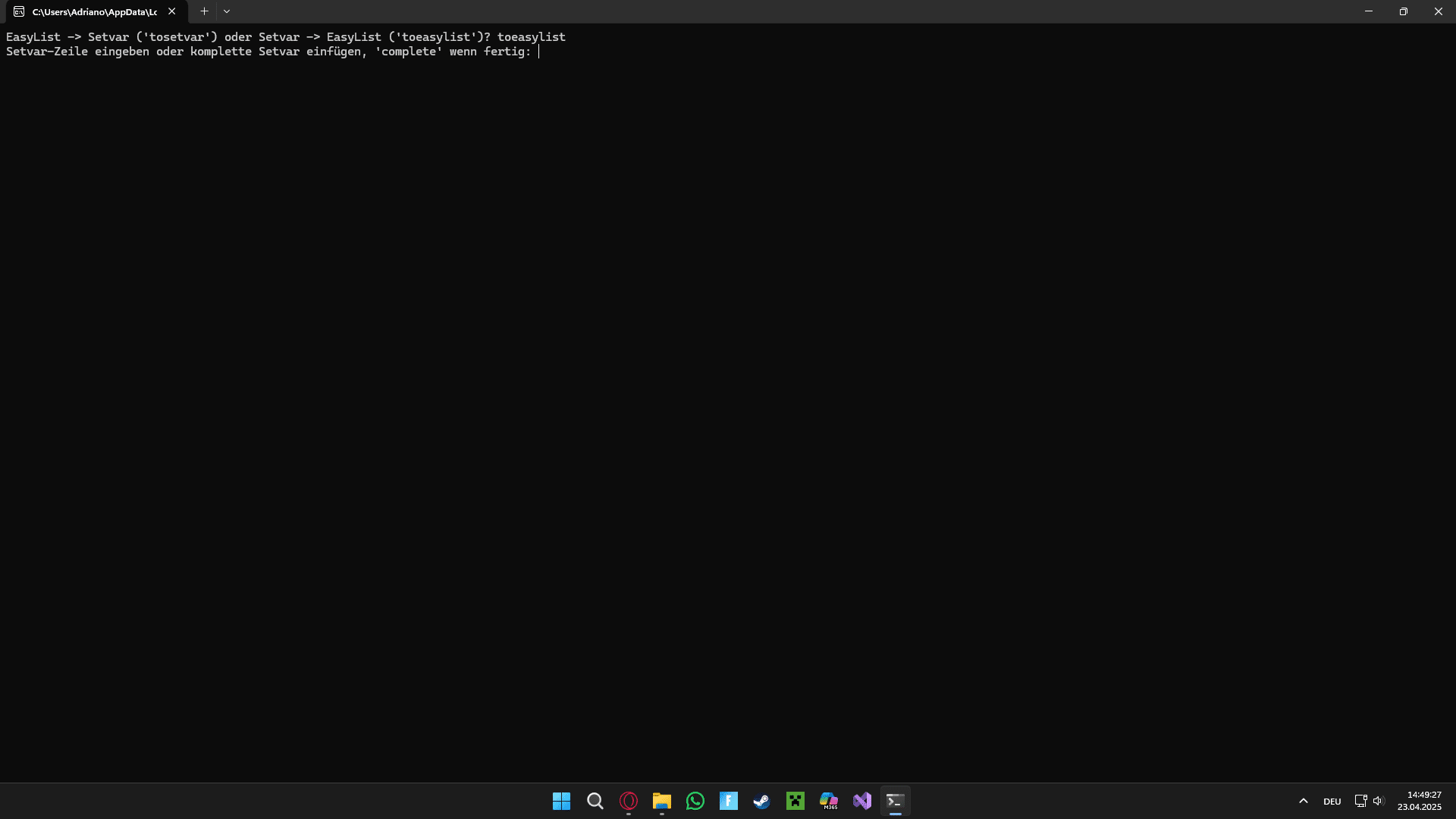
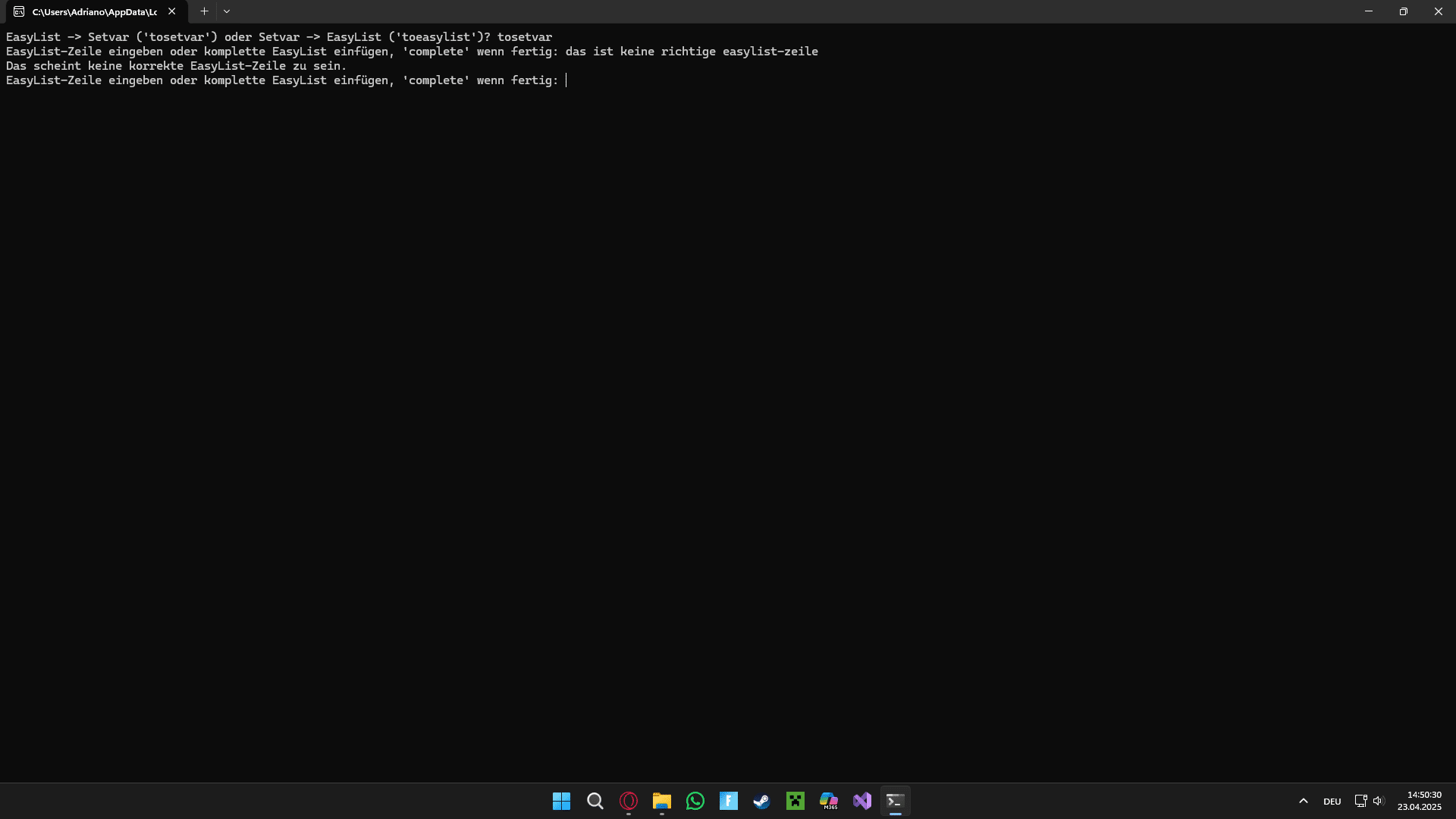
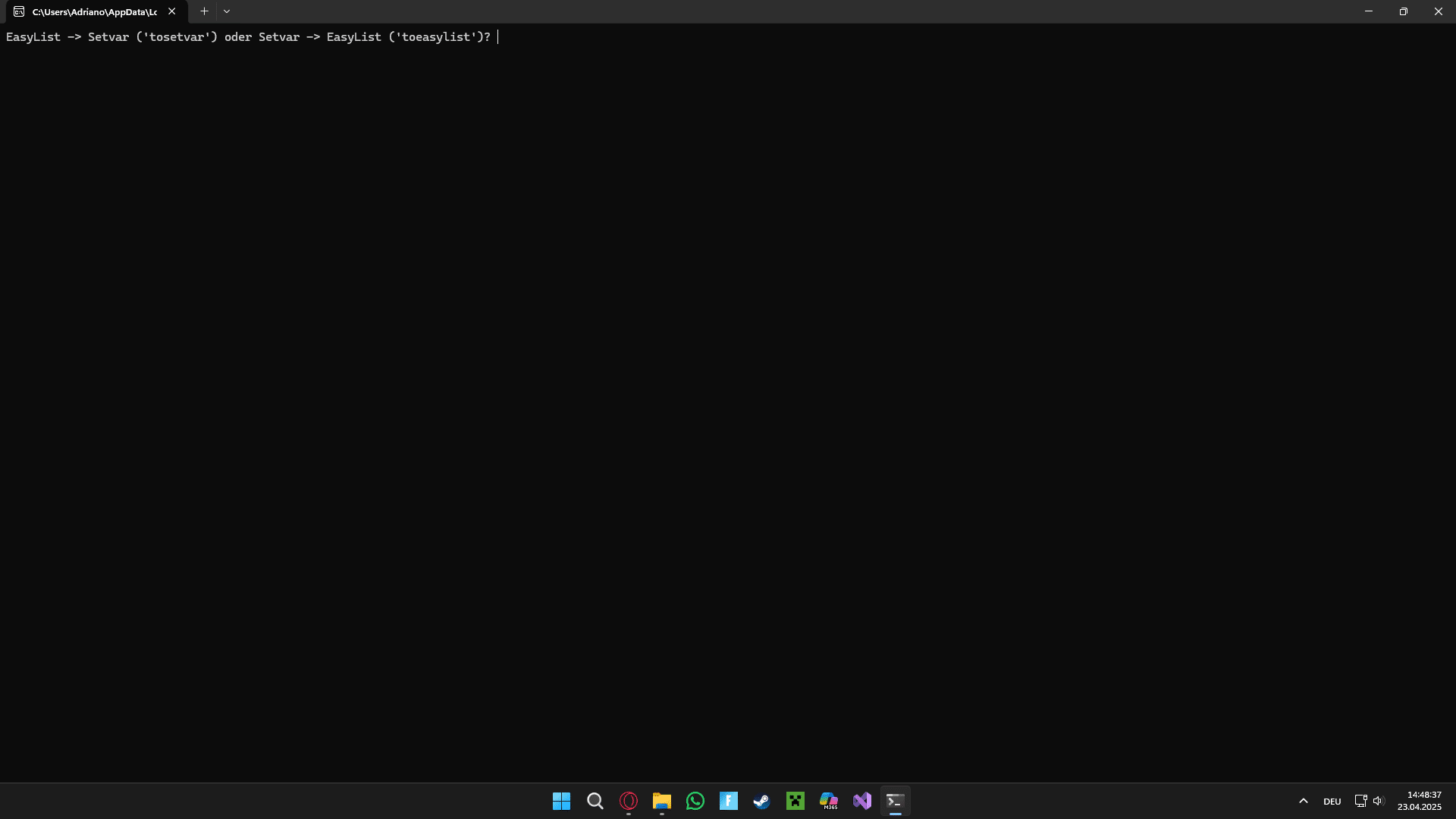
<p>eine völlig funktionierende Setvar-Liste machen! Nicht nur das, sondern auch aus einer Setvar-Liste eine EasyList! Und das beste dran? Jedes Listenelement muss nicht einzelt eingegeben werden, sondern eine EasyList sowie eine Setvar-Liste kann in die Kommandozentrale einfach eingefügt werden! Danach muss sie nur noch kopiert und in die .cti eingefügt werden! Dieses Programm ist open-source und der Code ist unter den Bildern. (Deine eigene Version) dieses Tool(s) darfst du <u>mit Namensnennung</u> (Adrix12team) re-uploaden <em>(CC <by>)</em>.</p><p><a href="https://drive.google.com/file/d/1iE-SM8n67U1b4GQJMlDOq3bLuSmjLX8D/view?usp=sharing">ReadMe (downloaden)</a></p><p><strong><u><span style="font-size: 18pt;">Englisch/English:</span></u></strong></p><p>If you like to make repaints, you know that you always have to create these infinitely long setvars. Everytime "[setvar]", then the variable, value and enter again. That doesn't have to be! This <a href="https://www.python.org/downloads/">Python</a>-program can make functioning Setvar-lists with simple lists (I call them EasyLists) like this:</p><pre>vis_front_ver 1
vis_matrix_ver 0
vis_embl_eev 0
vis_vdvhasrpm 0
vdv_elec_ign_withbutton 0
var_hasfoglights 1</pre>
<p>It just needs to be copied into the .cti and done! Not only that, but you can make an EasyList from an Setvar-list! And the best part? You don't have to type in every item manually, you can just paste an EasyList or an Setvar-list into the command prompt! This program is open-source and the code is below the pictures. You can re-upload (your own version), but you must credit the original creator (Adrix12team) <em>(CC <by>)</em>.</p><p><a href="https://drive.google.com/file/d/1iE-SM8n67U1b4GQJMlDOq3bLuSmjLX8D/view?usp=sharing">(Download) readme</a></p><p><br></p><p><em>Fragen oder Tipps? Sende mir eine E-Mail: </em><a href="mailto:adrix12tm.contactmail@gmail.com">adrix12tm.contactmail@gmail.com</a></p><p><em>Questions or tips? Send me an e-mail at: </em><a href="mailto:adrix12tm.contactmail@gmail.com">adrix12tm.contactmail@gmail.com</a></p><p><strong><em><u><span style="font-size: 36pt;">Bilder/Pictures:</span></u></em></strong></p><p><woltlab-metacode data-name="attach" data-attributes="WyIyNzI5ODMiLCJub25lIiwiZmFsc2UiXQ=="></woltlab-metacode><woltlab-metacode data-name="attach" data-attributes="WyIyNzI5ODQiLCJub25lIiwiZmFsc2UiXQ=="></woltlab-metacode><woltlab-metacode data-name="attach" data-attributes="WyIyNzI5ODUiLCJub25lIiwiZmFsc2UiXQ=="></woltlab-metacode><woltlab-metacode data-name="attach" data-attributes="WyIyNzI5ODYiLCJub25lIiwiZmFsc2UiXQ=="></woltlab-metacode><woltlab-metacode data-name="attach" data-attributes="WyIyNzI5ODciLCJub25lIiwiZmFsc2UiXQ=="></woltlab-metacode><woltlab-metacode data-name="attach" data-attributes="WyIyNzI5ODgiLCJub25lIiwiZmFsc2UiXQ=="></woltlab-metacode><woltlab-metacode data-name="attach" data-attributes="WyIyNzI5ODkiLCJub25lIiwiZmFsc2UiXQ=="></woltlab-metacode><woltlab-metacode data-name="attach" data-attributes="WyIyNzI5OTAiLCJub25lIiwiZmFsc2UiXQ=="></woltlab-metacode></p><woltlab-spoiler data-label="Code ansehen"><pre>#setvarConverter von Adrix12team
#Vorbereitung-------
choosetype = input("EasyList -> Setvar ('tosetvar') oder Setvar -> EasyList ('toeasylist')? ")
items = []
def iteminput(type):
while True:
inputdialog = input(type + "-Zeile eingeben oder komplette " + type + " einfügen, 'complete' wenn fertig: ")
if inputdialog.lower() == "complete":
break
elif inputdialog.count(" ") == 1 or type == "Setvar":
items.append(inputdialog)
else:
print("Das scheint keine korrekte " + type + "-Zeile zu sein.")
return items
def convert_to_setvar(inputs):
print()
for input_string in inputs:
var_name, value = input_string.split()
print(f"[setvar]\n{var_name}\n{value}\n")
def convert_to_easylist(inputs):
print()
i = 0
while i < len(inputs):
if inputs[i].strip() == "[setvar]":
var_name = inputs[i + 1].strip()
value = inputs[i + 2].strip()
print(f"{var_name} {value}")
i += 3
else:
i += 1
#Vorbereitung ende-------
#Konvertierung-------
while choosetype not in ["tosetvar", "toeasylist"]:
choosetype = input("Option gibt es nicht. Erneut eingeben: ")
if choosetype == "tosetvar":
convert_to_setvar(iteminput("EasyList"))
input("Jetzt kannst du die Setvar-Liste kopieren. Drücke Enter, um zu beenden.")
else:
convert_to_easylist(iteminput("Setvar"))
print()
input("Jetzt kannst du die EasyList kopieren. Drücke Enter, um zu beenden.")</pre>
</woltlab-spoiler>
<p><strong><em><u></u></em></strong></p>
vis_matrix_ver 0
vis_embl_eev 0
vis_vdvhasrpm 0
vdv_elec_ign_withbutton 0
var_hasfoglights 1</pre>
<p>eine völlig funktionierende Setvar-Liste machen! Nicht nur das, sondern auch aus einer Setvar-Liste eine EasyList! Und das beste dran? Jedes Listenelement muss nicht einzelt eingegeben werden, sondern eine EasyList sowie eine Setvar-Liste kann in die Kommandozentrale einfach eingefügt werden! Danach muss sie nur noch kopiert und in die .cti eingefügt werden! Dieses Programm ist open-source und der Code ist unter den Bildern. (Deine eigene Version) dieses Tool(s) darfst du <u>mit Namensnennung</u> (Adrix12team) re-uploaden <em>(CC <by>)</em>.</p><p><a href="https://drive.google.com/file/d/1iE-SM8n67U1b4GQJMlDOq3bLuSmjLX8D/view?usp=sharing">ReadMe (downloaden)</a></p><p><strong><u><span style="font-size: 18pt;">Englisch/English:</span></u></strong></p><p>If you like to make repaints, you know that you always have to create these infinitely long setvars. Everytime "[setvar]", then the variable, value and enter again. That doesn't have to be! This <a href="https://www.python.org/downloads/">Python</a>-program can make functioning Setvar-lists with simple lists (I call them EasyLists) like this:</p><pre>vis_front_ver 1
vis_matrix_ver 0
vis_embl_eev 0
vis_vdvhasrpm 0
vdv_elec_ign_withbutton 0
var_hasfoglights 1</pre>
<p>It just needs to be copied into the .cti and done! Not only that, but you can make an EasyList from an Setvar-list! And the best part? You don't have to type in every item manually, you can just paste an EasyList or an Setvar-list into the command prompt! This program is open-source and the code is below the pictures. You can re-upload (your own version), but you must credit the original creator (Adrix12team) <em>(CC <by>)</em>.</p><p><a href="https://drive.google.com/file/d/1iE-SM8n67U1b4GQJMlDOq3bLuSmjLX8D/view?usp=sharing">(Download) readme</a></p><p><br></p><p><em>Fragen oder Tipps? Sende mir eine E-Mail: </em><a href="mailto:adrix12tm.contactmail@gmail.com">adrix12tm.contactmail@gmail.com</a></p><p><em>Questions or tips? Send me an e-mail at: </em><a href="mailto:adrix12tm.contactmail@gmail.com">adrix12tm.contactmail@gmail.com</a></p><p><strong><em><u><span style="font-size: 36pt;">Bilder/Pictures:</span></u></em></strong></p><p><woltlab-metacode data-name="attach" data-attributes="WyIyNzI5ODMiLCJub25lIiwiZmFsc2UiXQ=="></woltlab-metacode><woltlab-metacode data-name="attach" data-attributes="WyIyNzI5ODQiLCJub25lIiwiZmFsc2UiXQ=="></woltlab-metacode><woltlab-metacode data-name="attach" data-attributes="WyIyNzI5ODUiLCJub25lIiwiZmFsc2UiXQ=="></woltlab-metacode><woltlab-metacode data-name="attach" data-attributes="WyIyNzI5ODYiLCJub25lIiwiZmFsc2UiXQ=="></woltlab-metacode><woltlab-metacode data-name="attach" data-attributes="WyIyNzI5ODciLCJub25lIiwiZmFsc2UiXQ=="></woltlab-metacode><woltlab-metacode data-name="attach" data-attributes="WyIyNzI5ODgiLCJub25lIiwiZmFsc2UiXQ=="></woltlab-metacode><woltlab-metacode data-name="attach" data-attributes="WyIyNzI5ODkiLCJub25lIiwiZmFsc2UiXQ=="></woltlab-metacode><woltlab-metacode data-name="attach" data-attributes="WyIyNzI5OTAiLCJub25lIiwiZmFsc2UiXQ=="></woltlab-metacode></p><woltlab-spoiler data-label="Code ansehen"><pre>#setvarConverter von Adrix12team
#Vorbereitung-------
choosetype = input("EasyList -> Setvar ('tosetvar') oder Setvar -> EasyList ('toeasylist')? ")
items = []
def iteminput(type):
while True:
inputdialog = input(type + "-Zeile eingeben oder komplette " + type + " einfügen, 'complete' wenn fertig: ")
if inputdialog.lower() == "complete":
break
elif inputdialog.count(" ") == 1 or type == "Setvar":
items.append(inputdialog)
else:
print("Das scheint keine korrekte " + type + "-Zeile zu sein.")
return items
def convert_to_setvar(inputs):
print()
for input_string in inputs:
var_name, value = input_string.split()
print(f"[setvar]\n{var_name}\n{value}\n")
def convert_to_easylist(inputs):
print()
i = 0
while i < len(inputs):
if inputs[i].strip() == "[setvar]":
var_name = inputs[i + 1].strip()
value = inputs[i + 2].strip()
print(f"{var_name} {value}")
i += 3
else:
i += 1
#Vorbereitung ende-------
#Konvertierung-------
while choosetype not in ["tosetvar", "toeasylist"]:
choosetype = input("Option gibt es nicht. Erneut eingeben: ")
if choosetype == "tosetvar":
convert_to_setvar(iteminput("EasyList"))
input("Jetzt kannst du die Setvar-Liste kopieren. Drücke Enter, um zu beenden.")
else:
convert_to_easylist(iteminput("Setvar"))
print()
input("Jetzt kannst du die EasyList kopieren. Drücke Enter, um zu beenden.")</pre>
</woltlab-spoiler>
<p><strong><em><u></u></em></strong></p>
Bilder