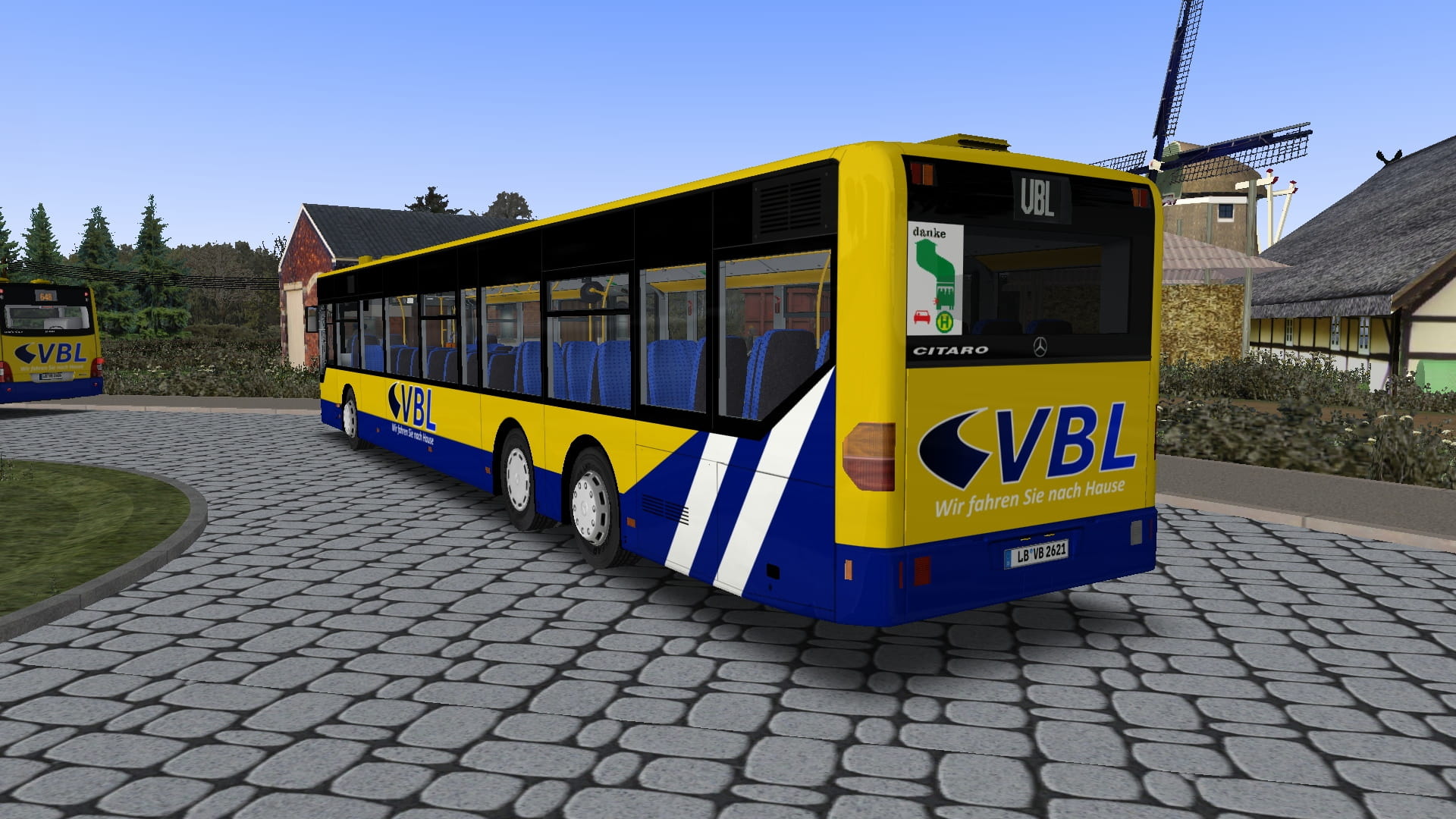
O530 Citaro LÜ (1. Gen., Tarik K.)
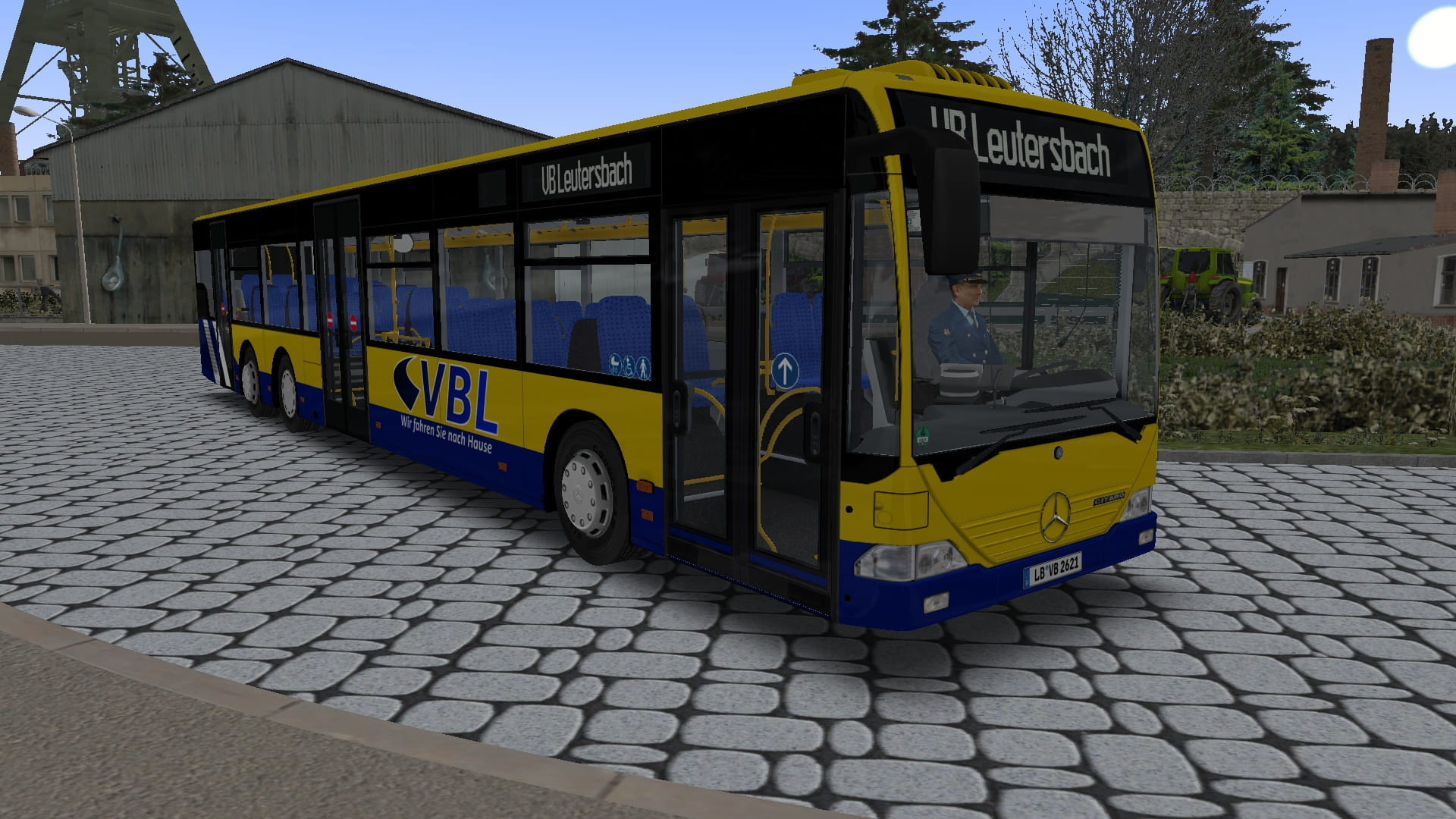
VBL Leutersbach-Repaint für MB Citaro LÜ
[DE] Repaint des Verkehrsbetriebe Leutersbach für den MB Citaro LÜ [EN] Repaint of Verkehrsbetriebe Leutersbach for the MB Citaro LUE
134 Downloads
1 Versionen
<p><strong>Bus: </strong><a href="https://reboot.omsi-webdisk.de/file/5103-mercedes-benz-citaro-lue/">Mercedes-Benz Citaro LÜ</a><a href="https://reboot.omsi-webdisk.de/file/2752-mercedes-benz-o303-15-khp-l/">
</a></p><p><strong>Map: </strong><a href="https://reboot.omsi-webdisk.de/file/5136-map-leutersbach/">Map Leutersbach</a><a href="https://reboot.omsi-webdisk.de/file/5088-waldhofen-2013/"></a></p><p><br></p><p><strong>Installation: </strong></p><p><img src="https://reboot.omsi-webdisk.de/net/icon/flag/de.svg" alt="de.svg"><strong></strong></p><p>Die Zip-Datei einfach im OMSI-<a href="https://reboot.omsi-webdisk.de/wiki/entry/60-hauptverzeichnis/">Hauptverzeichnis</a> entpacken<strong>.<br></strong></p><p>Damit die <strong>Fahrerklima</strong> auch umgefärbt wird:</p><p>In der Model-Datei (Model\model_O530 LUE.cfg) im Abschnitt "Textur-Changes" folgendes zusätzlich anfügen:</p><pre>[CTCTexture]
repaint_fahrerklima
fahrerklima.png
</pre>
<p><strong><br></strong></p><p><img src="https://reboot.omsi-webdisk.de/net/icon/flag/gb.svg" alt="gb.svg"></p><p>Simply unzip the zip-file into the OMSI main directory.</p><p>So that the <strong>driver's climate</strong> is also colored:</p><p>In the model file (Model\model_O530 LUE.cfg) in the section 'Textur-Changes' add the following:</p><pre>[CTCTexture]
repaint_fahrerklima
fahrerklima.png
</pre>
<p><br></p><p>Viel Spaß! Have fun!</p>
</a></p><p><strong>Map: </strong><a href="https://reboot.omsi-webdisk.de/file/5136-map-leutersbach/">Map Leutersbach</a><a href="https://reboot.omsi-webdisk.de/file/5088-waldhofen-2013/"></a></p><p><br></p><p><strong>Installation: </strong></p><p><img src="https://reboot.omsi-webdisk.de/net/icon/flag/de.svg" alt="de.svg"><strong></strong></p><p>Die Zip-Datei einfach im OMSI-<a href="https://reboot.omsi-webdisk.de/wiki/entry/60-hauptverzeichnis/">Hauptverzeichnis</a> entpacken<strong>.<br></strong></p><p>Damit die <strong>Fahrerklima</strong> auch umgefärbt wird:</p><p>In der Model-Datei (Model\model_O530 LUE.cfg) im Abschnitt "Textur-Changes" folgendes zusätzlich anfügen:</p><pre>[CTCTexture]
repaint_fahrerklima
fahrerklima.png
</pre>
<p><strong><br></strong></p><p><img src="https://reboot.omsi-webdisk.de/net/icon/flag/gb.svg" alt="gb.svg"></p><p>Simply unzip the zip-file into the OMSI main directory.</p><p>So that the <strong>driver's climate</strong> is also colored:</p><p>In the model file (Model\model_O530 LUE.cfg) in the section 'Textur-Changes' add the following:</p><pre>[CTCTexture]
repaint_fahrerklima
fahrerklima.png
</pre>
<p><br></p><p>Viel Spaß! Have fun!</p>
Bilder