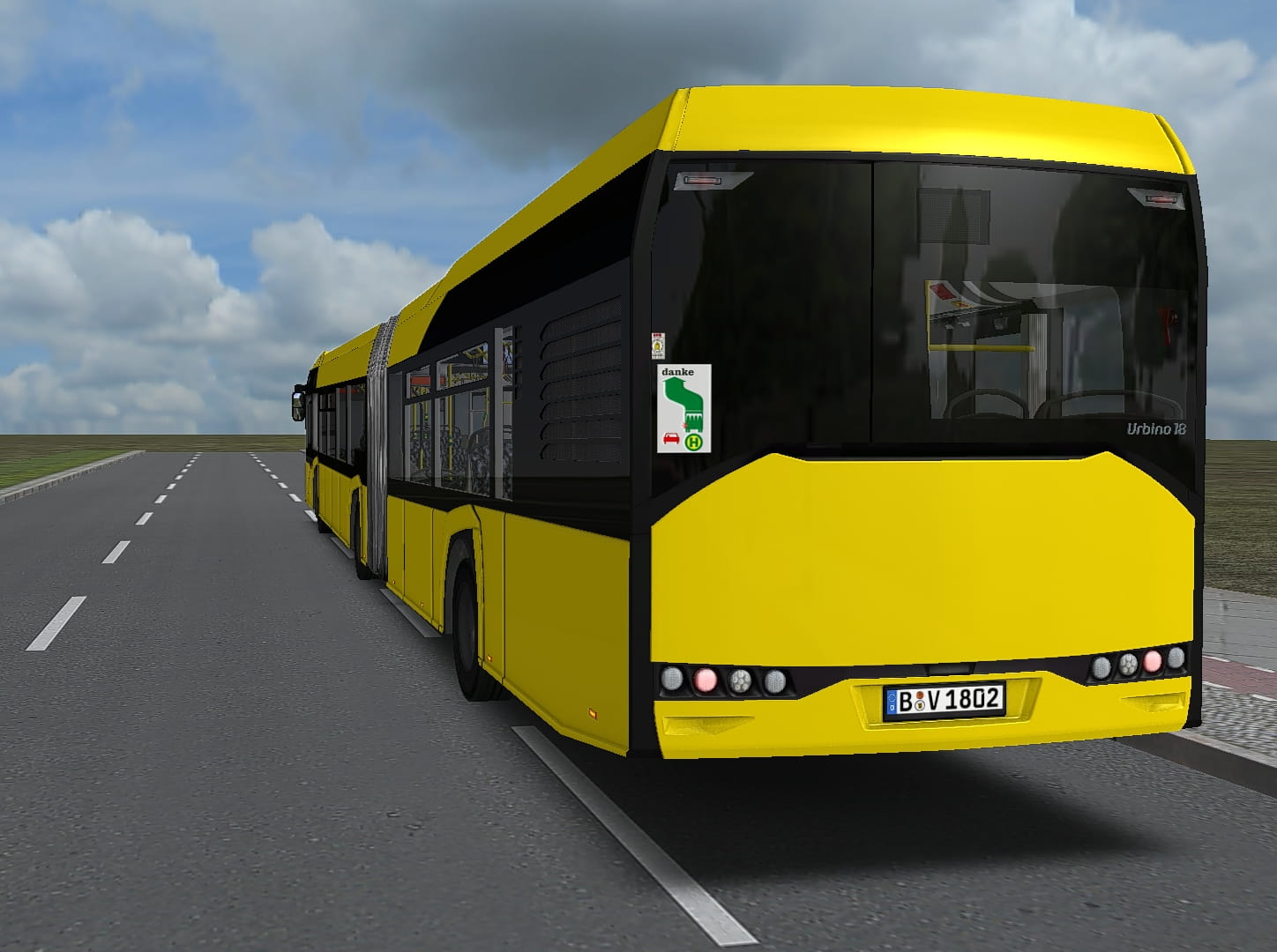
Urbino IV 12/18/LE (DLC - Add-On Metropole Ruhr)
BVG-Repaint für den Düsseldorf-SOLARIS IV
BVG-Repaint für den Düsseldorf-SOLARIS IV
670 Downloads
1 Versionen
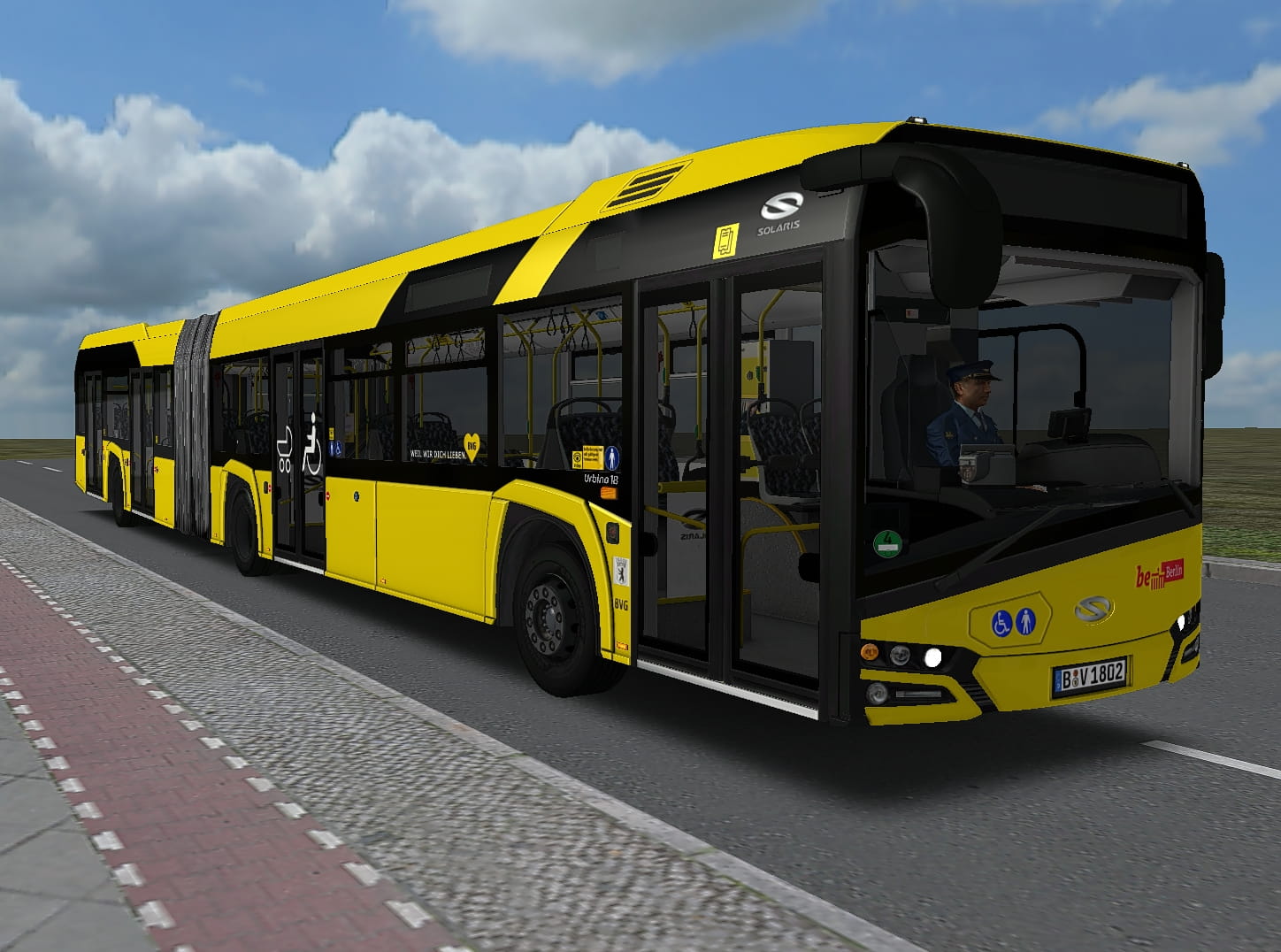
<p><woltlab-metacode data-name="flag" data-attributes="WyJkZSJd"></woltlab-metacode> <u>Düsseldorf Solaris IV BVG-Repaint</u></p><p><br></p><woltlab-spoiler data-label="Installation:"><p>Einfach den Inhalt des Archivs in den Hauptordner von OMSI 2 kopieren und alles überschreiben lassen.</p>
<p>Dabei werden keinerlei Original-Dateien überschrieben.</p>
<p><br></p>
<p>Allerdings sind ein paar Änderungen in den Model.cfg-Dateien des Busses notwendig, damit das Repaint richtig angezeigt werden kann.</p>
<p>Diese Daeien öffnet man mit einem Texteditor seiner Wahl.</p>
<p>Die Model.cfg-Dateien findet man unter diesem Pfad:</p>
<p><br></p>
<p>..\OMSI 2\Vehicles\DUS_Urbino\Model\</p>
<p><br></p>
<p>Bei folgenden Dateien müssen einige Einträge im oberen Bereich eingefügt werden [CTCTexture]</p>
<p><br></p>
<p>Gelenk_V.cfg</p>
<p>Gelenk_V_Metro.cfg</p>
<p>Gelenk_H.cfg</p>
<p><br></p>
<p><strong>Einträge, die ergänzt werden müssen:</strong></p>
<p><br></p>
<p>[CTCTexture]</p>
<p>farbschema_Plastic</p>
<p>SUIV_plastic_2.png</p>
<p><br></p>
<p>[CTCTexture]</p>
<p>farbschema_Automat</p>
<p>SUIV_Automat.dds</p>
<p><br></p>
<p>[CTCTexture]</p>
<p>farbschema_Matrix</p>
<p>vmatrix_full.dds</p>
<p><br></p>
<p>[CTCTexture]</p>
<p>farbschema_tuer4</p>
<p>tuer4.dds</p>
<p><br></p>
<p>[CTCTexture]</p>
<p>farbschema_Innen_H</p>
<p>SUIV_int_NG_H.dds</p>
<p><br></p>
<p><strong>Dannach abspeichern nicht vergessen.</strong></p><p><br></p></woltlab-spoiler>
<p><br></p><p><woltlab-metacode data-name="flag" data-attributes="WyJnYiJd"></woltlab-metacode> <u>Dusseldorf Solaris IV BVG repaint</u></p><p><br></p><woltlab-spoiler data-label="Installation:"><p>Simply copy the contents of the archive into the main folder of OMSI 2 and let everything overwrite.</p>
<p>No original files will be overwritten.</p>
<p><br></p>
<p>However, a few changes in the Model.cfg files of the bus are necessary so that the repaint can be displayed correctly.</p>
<p>You open these files with a text editor of your choice.</p>
<p>The Model.cfg files can be found under this path:</p>
<p><br></p>
<p>.. \ OMSI 2 \ Vehicles \ DUS_Urbino \ Model \</p>
<p><br></p>
<p>For the following files, some entries must be added in the upper area [CTCTexture]</p>
<p><br></p>
<p>Gelenk_V.cfg</p>
<p>Gelenk_V_Metro.cfg</p>
<p>Gelenk_H.cfg</p>
<p><br></p>
<p><strong>Entries that need to be added:</strong></p>
<p><br></p>
<p>[CTCTexture]</p>
<p>farbschema_Plastic</p>
<p>SUIV_plastic_2.png</p>
<p><br></p>
<p>[CTCTexture]</p>
<p>farbschema_Automat</p>
<p>SUIV_Automat.dds</p>
<p><br></p>
<p>[CTCTexture]</p>
<p>farbschema_Matrix</p>
<p>vmatrix_full.dds</p>
<p><br></p>
<p>[CTCTexture]</p>
<p>farbschema_tuer4</p>
<p>tuer4.dds</p>
<p><br></p>
<p>[CTCTexture]</p>
<p>farbschema_Innen_H</p>
<p>SUIV_int_NG_H.dds</p>
<p><br></p>
<p><strong>Then don't forget to save.</strong></p><p><br></p></woltlab-spoiler>
<p><br></p><p>Mfg / best regards</p><p>Daniel (aka fOcUs04)</p><p><br></p><p><woltlab-metacode data-name="attach" data-attributes="WyI2MTgyMCIsIm5vbmUiLCJ0cnVlIl0="></woltlab-metacode> <woltlab-metacode data-name="attach" data-attributes="WyI2MTgyMSIsIm5vbmUiLCJ0cnVlIl0="></woltlab-metacode></p>
<p>Dabei werden keinerlei Original-Dateien überschrieben.</p>
<p><br></p>
<p>Allerdings sind ein paar Änderungen in den Model.cfg-Dateien des Busses notwendig, damit das Repaint richtig angezeigt werden kann.</p>
<p>Diese Daeien öffnet man mit einem Texteditor seiner Wahl.</p>
<p>Die Model.cfg-Dateien findet man unter diesem Pfad:</p>
<p><br></p>
<p>..\OMSI 2\Vehicles\DUS_Urbino\Model\</p>
<p><br></p>
<p>Bei folgenden Dateien müssen einige Einträge im oberen Bereich eingefügt werden [CTCTexture]</p>
<p><br></p>
<p>Gelenk_V.cfg</p>
<p>Gelenk_V_Metro.cfg</p>
<p>Gelenk_H.cfg</p>
<p><br></p>
<p><strong>Einträge, die ergänzt werden müssen:</strong></p>
<p><br></p>
<p>[CTCTexture]</p>
<p>farbschema_Plastic</p>
<p>SUIV_plastic_2.png</p>
<p><br></p>
<p>[CTCTexture]</p>
<p>farbschema_Automat</p>
<p>SUIV_Automat.dds</p>
<p><br></p>
<p>[CTCTexture]</p>
<p>farbschema_Matrix</p>
<p>vmatrix_full.dds</p>
<p><br></p>
<p>[CTCTexture]</p>
<p>farbschema_tuer4</p>
<p>tuer4.dds</p>
<p><br></p>
<p>[CTCTexture]</p>
<p>farbschema_Innen_H</p>
<p>SUIV_int_NG_H.dds</p>
<p><br></p>
<p><strong>Dannach abspeichern nicht vergessen.</strong></p><p><br></p></woltlab-spoiler>
<p><br></p><p><woltlab-metacode data-name="flag" data-attributes="WyJnYiJd"></woltlab-metacode> <u>Dusseldorf Solaris IV BVG repaint</u></p><p><br></p><woltlab-spoiler data-label="Installation:"><p>Simply copy the contents of the archive into the main folder of OMSI 2 and let everything overwrite.</p>
<p>No original files will be overwritten.</p>
<p><br></p>
<p>However, a few changes in the Model.cfg files of the bus are necessary so that the repaint can be displayed correctly.</p>
<p>You open these files with a text editor of your choice.</p>
<p>The Model.cfg files can be found under this path:</p>
<p><br></p>
<p>.. \ OMSI 2 \ Vehicles \ DUS_Urbino \ Model \</p>
<p><br></p>
<p>For the following files, some entries must be added in the upper area [CTCTexture]</p>
<p><br></p>
<p>Gelenk_V.cfg</p>
<p>Gelenk_V_Metro.cfg</p>
<p>Gelenk_H.cfg</p>
<p><br></p>
<p><strong>Entries that need to be added:</strong></p>
<p><br></p>
<p>[CTCTexture]</p>
<p>farbschema_Plastic</p>
<p>SUIV_plastic_2.png</p>
<p><br></p>
<p>[CTCTexture]</p>
<p>farbschema_Automat</p>
<p>SUIV_Automat.dds</p>
<p><br></p>
<p>[CTCTexture]</p>
<p>farbschema_Matrix</p>
<p>vmatrix_full.dds</p>
<p><br></p>
<p>[CTCTexture]</p>
<p>farbschema_tuer4</p>
<p>tuer4.dds</p>
<p><br></p>
<p>[CTCTexture]</p>
<p>farbschema_Innen_H</p>
<p>SUIV_int_NG_H.dds</p>
<p><br></p>
<p><strong>Then don't forget to save.</strong></p><p><br></p></woltlab-spoiler>
<p><br></p><p>Mfg / best regards</p><p>Daniel (aka fOcUs04)</p><p><br></p><p><woltlab-metacode data-name="attach" data-attributes="WyI2MTgyMCIsIm5vbmUiLCJ0cnVlIl0="></woltlab-metacode> <woltlab-metacode data-name="attach" data-attributes="WyI2MTgyMSIsIm5vbmUiLCJ0cnVlIl0="></woltlab-metacode></p>
Bilder